
Cybersecurity Risk Assessment: A Practical Guide for Businesses
A cybersecurity risk assessment is a structured way to find out what your business has to protect, what could go wrong, how likely it is and how much it would hurt, so you can fix the biggest problems first. NIST defines risk as a function of the degree of harm and the likelihood that the harm occurs. The assessment identifies threats, vulnerabilities, potential harm and likelihood. This guide shows how to run one, what to include, how to score what you find and how to turn the results into a safer business.
TL;DR
- A risk assessment lists your assets, the threats and weaknesses around them, and the likelihood and impact of each risk, then ranks them so you know what to fix first.
- A solid business assessment covers people, software, devices, networks, cloud accounts, backups and the vendors you depend on, not just firewalls.
- Score each risk by likelihood and impact, record it in a risk register and choose a response: mitigate, accept, avoid or transfer.
- It is not a one-time project. Review it at least once a year and again after any material change, such as an incident, a migration or a new regulation.
- The value comes from acting on the findings. A prioritized roadmap with an owner and a deadline for each item is what lowers your risk.
Table of Contents
- What a cybersecurity risk assessment actually is
- Why a business needs one
- What a business cybersecurity risk assessment should include
- The steps, in order
- Using NIST SP 800-30 as your backbone
- Turning findings into lower risk
- Our perspective
- How often to review and update your assessment
- Common mistakes that weaken an assessment
- Where we fit
- FAQ
- Sources
What a cybersecurity risk assessment actually is
Think of it as an inventory plus a judgment. The inventory answers what you have: laptops, servers, cloud accounts, customer data, the line-of-business application your team cannot work without. The judgment answers what could realistically happen to each of those things and what it would cost you when it does.
Microsoft describes it as a structured way to identify, evaluate and address vulnerabilities that could put an organization at risk, with key steps of defining scope, identifying assets, assessing threats and vulnerabilities, evaluating controls and prioritizing risks. It also stresses that assessments should be ongoing, with findings feeding into business planning.
Three terms come up constantly, and mixing them up causes confusion in reports:
- Threat: something that can cause harm, such as a phishing campaign, a ransomware crew, a careless click or a failed hard drive.
- Vulnerability: a weakness a threat can use, such as an unpatched server, a shared admin password or a missing multi-factor prompt.
- Impact: what the business loses when it happens: downtime, recovery costs, lost customers, regulatory exposure.
Risk is what you get when you combine them. A severe vulnerability on a system that holds nothing important may rank below a modest weakness on the system that runs payroll.
Why a business needs one
Most small and midsize organizations do not lack security tools. They lack a clear picture of where those tools stop. One office has multi-factor authentication on email but not on the remote access tool. Backups run nightly but nobody has restored from them. A former employee’s account is still active.
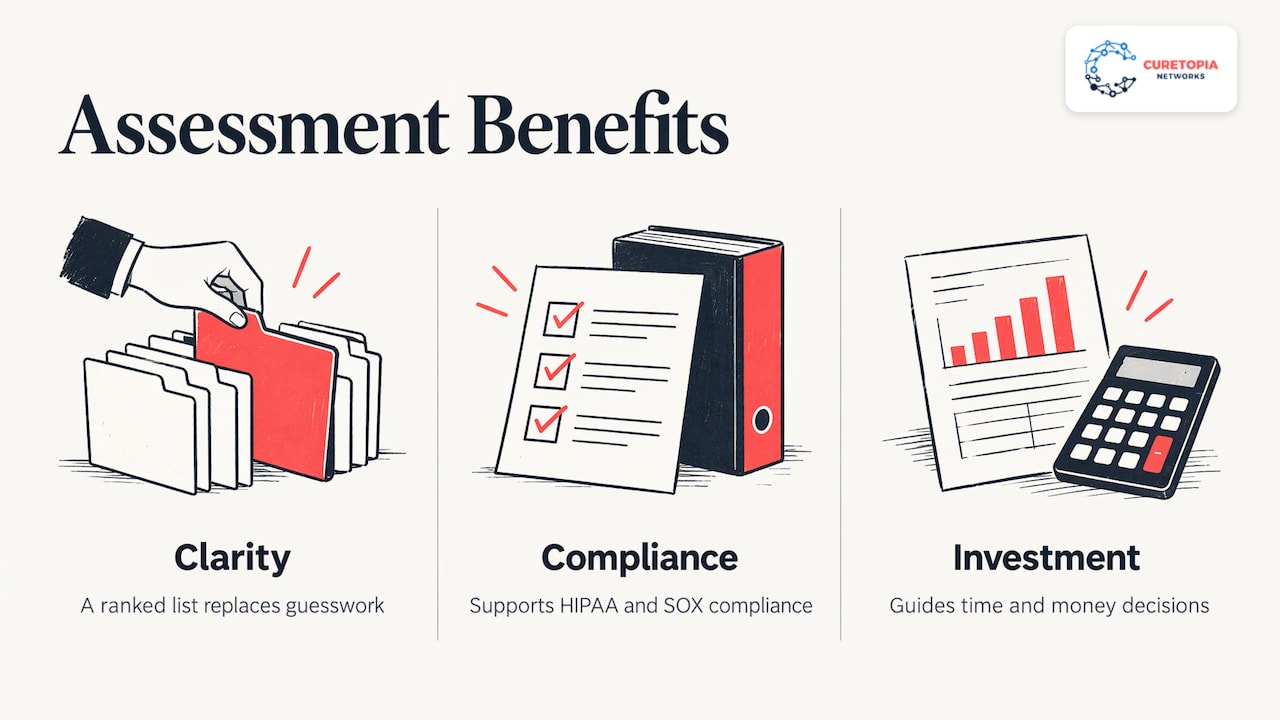
An assessment replaces guesswork with a ranked list. Microsoft notes that, with a shortage of security expertise and a rise in cloud and AI-driven threats, an assessment gives an organization a clearer view of where it stands before an incident happens. It also supports compliance with regulations such as HIPAA and SOX and helps guide investment.
That last point matters to anyone who signs the budget. The FTC’s small business guidance on the NIST framework describes the framework as voluntary and meant to help you decide where to focus time and money. A risk assessment is how you make that decision with evidence instead of whoever argued loudest.
What a business cybersecurity risk assessment should include
Microsoft lays out a ten-part structure that works well as a checklist. Here it is in plain terms, with what each part means for a typical Indiana office of 20 to 200 people.
- Define the scope. Decide what is in: physical locations, software systems, the network layer and people. Include remote workers and personal devices if staff use them for work.
- Identify assets. List hardware, software, network equipment and the people with access, and classify each by how critical it is.
- Pinpoint threats. Phishing, ransomware, account takeover, insider error, vendor compromise, theft, power or hardware failure.
- Identify vulnerabilities. Missing patches, weak or reused passwords, unmanaged devices, over-broad permissions, untested backups.
- Evaluate existing controls. Sort what you already have into preventive, detective and corrective controls.
- Identify likelihood and impact for each risk scenario.
- Calculate risk by combining likelihood and impact.
- Recommend mitigations that balance risk reduction against cost and complexity.
- Document and report. An executive summary, detailed technical findings and prioritized action items.
- Review and repeat as an ongoing cycle.
The NIST small business quick-start guide adds business-side questions that technical checklists often skip. It recommends that you understand how cyber risks could disrupt your mission, know your legal, regulatory and contractual cybersecurity requirements, assess the impact of a total or partial loss of critical assets, consider whether cyber insurance is appropriate, and assess the risks posed by suppliers and third parties before entering a relationship.
If your firm handles client financial data, the same logic applies with industry-specific detail. Our CPA firm IT security checklist shows what that looks like for accounting practices.
The steps, in order
Searchers often ask for the five steps. The honest answer is that frameworks differ: CISA’s guide has six, Microsoft’s has ten and many vendor articles compress the work into five. They describe the same flow. Here is the version we find easiest to run, mapped to CISA’s six-step guide.
| Step | What you do | CISA step |
|---|---|---|
| 1. Inventory | Document network assets and their vulnerabilities | Step 1 |
| 2. Gather intelligence | Use sources of cyber threat intelligence to see what attackers are doing | Step 2 |
| 3. Map threats | Identify and document internal and external threats | Step 3 |
| 4. Define impact | Identify what each loss would do to operations | Step 4 |
| 5. Score risk | Combine threats, vulnerabilities, likelihoods and impacts | Step 5 |
| 6. Decide responses | Identify and prioritize risk responses | Step 6 |
Step 1: Build the inventory
Start with a list of every device, application, cloud service and data store, plus who can reach each one. The FTC recommends making a list of all equipment, software and data your business uses, and that advice holds up: you cannot assess what you have not counted. Shadow IT, such as a team signing up for a file-sharing app on a credit card, is where inventories most often come up short.
Step 2: Learn what attackers are doing
Threat intelligence sounds exotic, but for a business it often means reading current advisories from government agencies and your software vendors, and asking your IT provider what they are seeing across their clients. The goal is to weight your threat list toward what is actually active, not what makes headlines.
Step 3: Map internal and external threats
Do not look only outside. CISA points out that threat sources can come from inside an organization, so you should document internal processes and records, including administrative privileges on the network, activity logs of those granted access, and reliance on a managed service provider or a supply chain software vendor’s tools. Internal does not mean malicious. A well-meaning employee with admin rights on a laptop is a risk because of the rights, not the person.
Step 4: Define what a loss would cost
This is the step that turns a technical exercise into a business one. For each critical system, ask what happens if it is unavailable for an hour, a day or a week, and what happens if the data in it is exposed. Write the answers in operational terms: invoices cannot go out, the production line stops, clients cannot be served.
Step 5: Score the risk
Use a simple scale. Rate likelihood and impact from 1 to 5, multiply, and sort. The numbers below are an illustration of the method, not findings about any real company.
| Risk scenario | Likelihood (1-5) | Impact (1-5) | Score | Priority |
|---|---|---|---|---|
| Phishing leads to a stolen email login with no MFA | 4 | 5 | 20 | Fix now |
| Backups fail and nobody notices | 3 | 5 | 15 | Fix now |
| Former employee account still active | 3 | 4 | 12 | Next 30 days |
| Unpatched office printer | 3 | 2 | 6 | Schedule |
| Single internet connection fails | 2 | 3 | 6 | Schedule |
Priority is not purely arithmetic. NIST IR 8286B notes that the relative priority of cyber risks must be decided by those with appropriate authority, and that a risk directly affecting the mission is likely to be high priority, while financial loss, reputation and other factors also weigh in. Leadership, not just IT, should sign off on the ranking.
Step 6: Choose a response for each risk
The NIST enterprise risk management quick-start guide lists four responses to negative risk: mitigate, accept, avoid and transfer. Mitigating means adding controls. Accepting means a named person agrees to live with it. Avoiding means stopping the activity. Transferring often means insurance or contractually shifting responsibility. The same guide describes a cybersecurity risk register as the place to record known threats and vulnerabilities, their impact on business objectives and the responses taken or planned. Keep one. It becomes your roadmap.
Using NIST SP 800-30 as your backbone
NIST SP 800-30 is the document most often cited for how to run an assessment. Revision 1 was written for federal systems, but it encourages state, local and tribal governments and private sector organizations to consider using it too. It breaks the work into four tasks: prepare for the assessment, conduct it, communicate the results and maintain it. It also guides organizations in choosing risk factors to monitor so they can tell when risk has climbed to an unacceptable level.
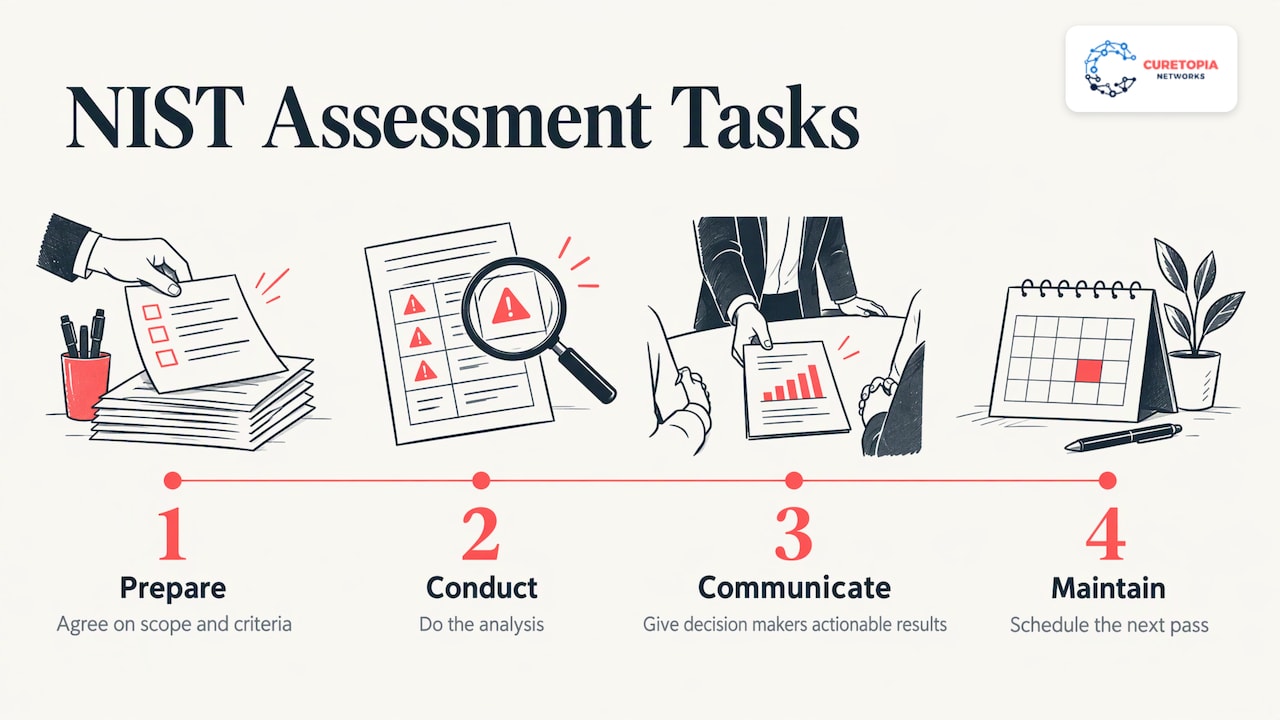
You do not need to follow every page to benefit. Borrow the four-part rhythm: agree on scope and criteria first, do the analysis, put the results in front of decision makers in language they can act on, then schedule the next pass.
Turning findings into lower risk
A report that sits in a drawer reduces nothing. The actions that tend to rise to the top of most small and midsize assessments are consistent with CISA’s mitigation guidance for small and mid-sized businesses:
- Apply the principle of least privilege, so people only have the access their job needs.
- Require multi-factor authentication.
- Preserve and correlate log information, and monitor the network and hosts.
- Manage data backups, including air-gapped storage.
- Update software and operating systems regularly.
- Review contracts with service providers so they include security controls and incident notification requirements.
CISA’s Cyber Essentials Starter Kit adds starting with MFA for privileged, administrative and remote access users, using unique passwords for every account and writing IT policies that cover changes in user status, such as when someone joins, changes roles or leaves.
The FTC’s guide groups protective measures under five areas: Identify, Protect, Detect, Respond and Recover. Under Protect it lists controlling who logs on, using security software, encrypting sensitive data at rest and in transit, regular backups, updating security software and training employees. That list is a useful sanity check against your own roadmap: if you have items under Protect but nothing under Detect or Recover, you are only planning for the attack you manage to stop.
NIST IR 8286B also offers a vocabulary for the kinds of controls you can choose: preventative, deterrent, detective, corrective and compensating. A compensating control is the practical one for older systems you cannot replace this year: you add monitoring or network isolation around the weakness while a proper fix is budgeted.
Two areas deserve a closer look because they overlap with daily operations:
- Backups and recovery. Whether you can restore, and how fast, determines how bad a ransomware event becomes. See how we approach backup and disaster recovery.
- Cloud and email. Most business data now lives in Microsoft 365 or Google Workspace, so identity and permission settings there carry real weight. Our Microsoft 365 and cloud page explains how we manage that environment.
If your team works from home or on the road, the access paths multiply. We cover that in our guide to secure remote work.
Our perspective
Most of the organizations we meet in Indianapolis and Central Indiana do not have a security problem so much as a visibility problem. They have a firewall from one project, backups from another, email security from a third, and nobody responsible for how those pieces fit together.
That is why we treat IT as one integrated environment. An assessment is most useful when the same people who find the gaps are accountable for closing them, and when the findings feed a technology roadmap tied to how the business actually makes money. We aim to address root causes rather than apply one-off fixes, because the same issue returning every quarter is itself a finding.
Our advice is to treat the first assessment as a baseline and the second as proof of progress. Rank the risks, put an owner and a date next to each, and revisit the list on a schedule. Leaders who do this tend to feel less operational chaos, because surprises become planned work.
Cameron
How often to review and update your assessment
An assessment is a living document. CISA’s guide says a cyber risk assessment is not meant to be conducted just once, and that it should be refined continually as new technologies and methods become available and are adopted.
In practice, use two triggers:
- Scheduled: InventiveHQ recommends reviewing at least once a year, with quarterly reviews and continuous monitoring in higher-risk industries.
- Event-driven: review right away after a security incident, a new or migrated system, a merger or a new regulation.
CISA’s Cross-Sector Cybersecurity Performance Goals 2.0 frames the cycle in four steps: perform an initial self-evaluation, identify and prioritize gaps by cost, complexity and impact, invest in the prioritized gaps, and review progress regularly after 12 months. It also notes that the worksheet can help when asking leadership for funding for cybersecurity projects, which is a practical way to connect the assessment to the budget conversation. If budgeting is the sticking point, our IT budget planning guide walks through it.
Common mistakes that weaken an assessment
- Scoping too narrowly. Assessing only the office network misses cloud accounts, home devices and vendors.
- Ignoring suppliers. The NIST quick-start guide and CISA both flag third-party and provider tools as a risk source. Ask what access each vendor has and what they must tell you after an incident.
- Treating it as a compliance checkbox. Frameworks like NIST CSF help structure the work, but the goal is lower business risk, not a stamped document.
- No owner. A finding without a named person and a date rarely gets fixed.
- No re-check. Without a follow-up pass, you cannot show that risk went down.
Where we fit
If you want the assessment and the follow-through handled by one accountable team, that is what we do. Curetopia Networks provides managed IT and cybersecurity for organizations in Indianapolis and Central Indiana, covering security, backups, cloud administration and technology planning as one environment. Our cybersecurity services turn assessment findings into controls, and our vCIO and IT consulting work turns them into a roadmap and budget your leadership can approve.
If you want to see where you stand first, start with our free IT assessment. If you already have an internal IT person who needs backup, our co-managed IT option supports your team rather than replacing it. Organizations that want the whole environment run for them can look at managed IT services. Nonprofits can see how we work with mission-driven organizations, and you can browse IT services by industry.
FAQ
What is a risk assessment in cybersecurity?
It is the process of identifying, evaluating and prioritizing the threats and vulnerabilities that could harm your information and systems. You list your assets, determine what could go wrong, estimate likelihood and impact, and rank the results. The output is a prioritized list of actions.
What are the five steps of a cybersecurity risk assessment?
A common version is: take inventory, identify threats and vulnerabilities, determine impact, score risk by combining likelihood and impact, and put controls in place before reviewing and repeating. CISA’s guide splits the same work into six steps, and Microsoft’s into ten. The sequence is what matters, not the count.
What should a risk assessment include?
At minimum: scope, an asset inventory classified by criticality, threats, vulnerabilities, existing controls, likelihood and impact for each scenario, a calculated risk ranking, recommended mitigations and a report with an executive summary. Add third-party and internal risks, and your legal and contractual obligations.
What is the NIST 800-30 risk assessment?
NIST Special Publication 800-30 is a guide to conducting risk assessments. It covers preparing for the assessment, conducting it, communicating results and maintaining it over time. It was written for federal systems, but private organizations are encouraged to consider using it.
How can a business reduce cybersecurity risk after an assessment?
Work the ranked list from the top. Typical early wins include multi-factor authentication, least-privilege access, tested backups, regular patching and monitoring. Record each decision in a risk register, assign an owner and review progress on a set schedule.
Sources
- NIST SP 800-30 Revision 1, Guide for Conducting Risk Assessments
- Microsoft Security: What Is a Cybersecurity Risk Assessment?
- FTC: Cybersecurity for Small Business, Understanding the NIST Cybersecurity Framework
- NIST CSF 2.0 Small Business Quick-Start Guide (SP 1300)
- CISA: Guide to Getting Started with a Cybersecurity Risk Assessment
- NIST IR 8286B: Prioritizing Cybersecurity Risk for Enterprise Risk Management
- NIST CSF 2.0 Enterprise Risk Management Quick-Start Guide (SP 1303)
- CISA Insights: Mitigations and Hardening Guidance for MSPs and Small- and Mid-sized Businesses
- CISA Cyber Essentials Starter Kit
- CISA Cross-Sector Cybersecurity Performance Goals, Version 2.0
- InventiveHQ: How Often Should I Review and Update Risk Assessments?