Small Business Cybersecurity in Indiana: A Practical Guide
If you run a small business in Indiana, cybersecurity comes down to five things. Know your biggest threats, which are phishing and ransomware. Measure where you stand with the free state scorecard. Lock down the basics: multifactor authentication, patching, and tested backups. Understand the Indiana laws on breaches and data disposal. Write an incident plan before you need one. This guide walks through each, using Indiana and federal sources, and shows where a managed IT partner fits.
Curetopianetworks
Put a Team Behind Your Security
Curetopia Networks provides managed IT and cybersecurity services for Indiana businesses, helping reduce downtime and strengthen security.
Explore IT and cybersecurity
TL;DR
- Phishing, ransomware and malware are the threats Indiana organizations worry about most, and most attacks start with a phishing email.
- The free Indiana Cybersecurity Scorecard gives you a baseline in under 15 minutes.
- Start with multifactor authentication, software updates, employee training and offline or isolated backups.
- Indiana’s breach law applies to businesses of any size that hold residents’ personal data, and you need a written response plan.
- If your team cannot cover all of this, a managed or co-managed IT provider can carry the load.
Table of Contents
What threats Indiana small businesses face
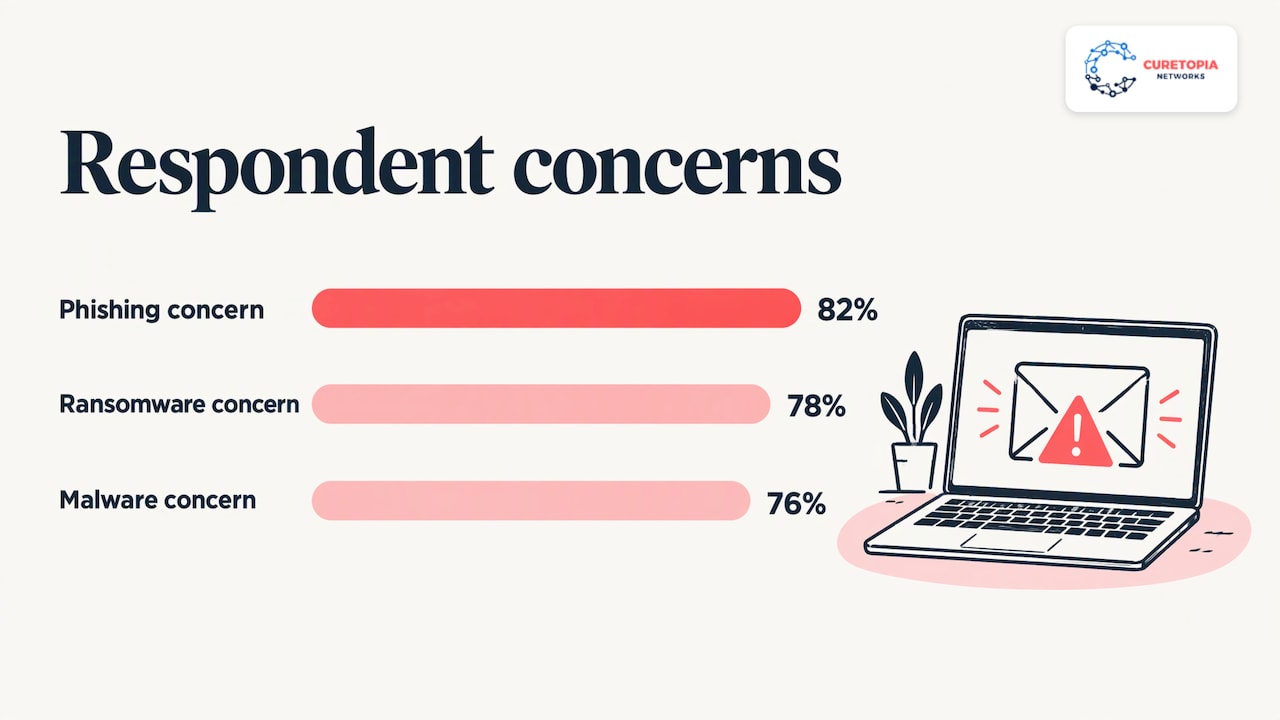
The State of Hoosier Cybersecurity 2025 Report, from the Indiana Cybersecurity Hub, found that over 95% of respondents were significantly concerned about cybersecurity incidents. Among 2023 respondents, 82% named phishing, 78% ransomware and 76% malware. The same report says 91% of cyber-attacks begin with a phishing email.
That last number shapes your priorities. Attackers rarely break through a firewall by force. They send a believable invoice, a fake Microsoft 365 login page or a message that looks like it came from your owner. One click from one employee can give them a mailbox, and from the mailbox they reach files, bank approvals and customer data.
For a small business, the practical consequences are usually:
- Downtime. Ransomware locks the systems your staff need to bill, produce or serve clients.
- Data exposure. Customer, patient, donor or employee records get copied, which triggers legal duties.
- Payment fraud. A compromised email account is used to redirect a legitimate payment.
Size does not protect you. Smaller firms often have the same valuable data as larger ones and fewer people watching for trouble.
Measure where you stand first
Before you buy anything, find out what you already have. Three free tools help.
The Indiana Cybersecurity Scorecard
The Indiana Cybersecurity Scorecard was developed by the State of Indiana and Purdue University. It is a 22-question online tool that returns a score and a report on your overall posture in less than 15 minutes. Have whoever manages your IT, or your office manager, complete it, and keep the report. It is a useful baseline to compare against after you make changes.
NIST’s small business quick-start guide
The NIST Cybersecurity Framework 2.0 Small Business Quick-Start Guide sorts security work into six functions: Govern, Identify, Protect, Detect, Respond and Recover. It is written for small and midsize businesses with modest or no cybersecurity plans. NIST also notes that if parts of the guide are unfamiliar or uncomfortable to tackle yourself, you can use it as a discussion prompt with a managed security service provider or other helper.
Federal self-assessment resources
The U.S. Small Business Administration recommends a risk assessment that identifies vulnerabilities and leads to a plan covering employee training and email security. It points to tools such as the FCC Planning Tool, the DHS Cyber Resilience Review, DHS free cyber hygiene vulnerability scanning and CISA’s Cyber Essentials guide.
If you would rather have a person walk through your environment with you, we offer a free IT assessment for Indianapolis and Central Indiana organizations.
The first controls to put in place
CISA’s guidance for small and medium businesses lists eight best practices. They include teaching employees to avoid phishing, requiring strong passwords and multifactor authentication, updating business software, using logging, backing up and encrypting business data, and reporting cyber incident information to CISA.
The Indiana SBDC’s Indiana Ransomware guide gets more specific about ransomware. It recommends:
- Making encrypted backups daily and isolating them so they cannot be deleted or destroyed.
- Knowing what data you collect, encrypting it and tracking who accesses it.
- Segmenting your network, with firewalls around critical data.
- Adding multifactor authentication for administrator logins.
- Applying software patches on time.
Here is how that translates into a sensible order of work for a small team.
| Priority |
Control |
What it stops |
| 1 |
Multifactor authentication on email, remote access and admin accounts |
Stolen passwords turning into account takeover |
| 2 |
Regular patching of computers, servers and network devices |
Attacks on known software flaws |
| 3 |
Employee phishing training, repeated through the year |
The click that starts most attacks |
| 4 |
Encrypted, isolated daily backups, with restore tests |
Ransomware turning into a shutdown |
| 5 |
Firewall and network segmentation |
Attackers moving freely once inside |
| 6 |
Written incident response plan |
Confusion and delay during a breach |
Two points deserve emphasis. A backup that has never been restored is a hope, not a plan, so schedule a restore test. And firewalls only help if someone keeps them configured and updated. Our guide to firewall management for Indiana businesses covers what ongoing care looks like, and if your staff work from home, see our piece on securing remote work.
Free Indiana training and resources
You do not have to pay to start. The Indiana Cybersecurity Hub’s training and events page lists a free downloadable Indiana Privacy Toolkit, a Personally Identifiable Information Guidebook for businesses large and small, and CISA incident response training. The Hub also links to guidance from the Indiana Executive Council on Cybersecurity.
The Indiana Small Business Development Center publishes the Data Assured materials cited in this article, including a ransomware guide and an incident workbook. Your regional SBDC office can point you to them.
Free resources do an excellent job of telling you what to do. They do not do it for you. Applying patches every month, watching alerts and testing restores is ongoing labor, and that is the gap a managed provider fills.
Indiana laws every small business should know
This section is general information, not legal advice. If you think you have had a breach, talk to an attorney experienced in breach response.
The breach notification law
The Indiana Attorney General’s security breach FAQ explains that a breach is an unauthorized acquisition of computerized data that compromises the security, confidentiality or integrity of personal information. Affected consumers must be notified without unreasonable delay, by mail, telephone, fax or email. Substitute notice is allowed when regular notice would cost more than $250,000 or the affected class exceeds 500,000 Indiana residents, and then it means conspicuous posting on your website and notice to statewide media.
Two further duties from the same page: notify consumer reporting agencies if more than 1,000 Indiana residents are being notified, and report to the Attorney General by completing the Breach Notification Form and emailing it to [email protected]. Missing these steps can bring penalties under the statute.
The Indiana Consumer Data Protection Act (ICDPA)
The ICDPA took effect January 1, 2026. It covers for-profit businesses that operate in Indiana or target Indiana residents and process data of at least 100,000 residents, or at least 25,000 residents while earning more than 50% of gross revenue from selling personal data. It has a permanent 30-day cure period and broadly exempts entities and data already governed by federal laws such as HIPAA, GLB, FCRA and FERPA.
Most small businesses fall below those thresholds. That does not mean you are off the hook. The Indiana Cybersecurity Hub’s SMB Top Ten Privacy Best Practices says businesses under the ICDPA threshold still need to secure Hoosier data and must have a data deletion plan to comply with Indiana’s Data Disposal Law.
If you handle regulated data, such as client financial records, your industry may add its own requirements. Our CPA firm IT security checklist is one example of how that looks in practice.
What to do if you suspect an attack
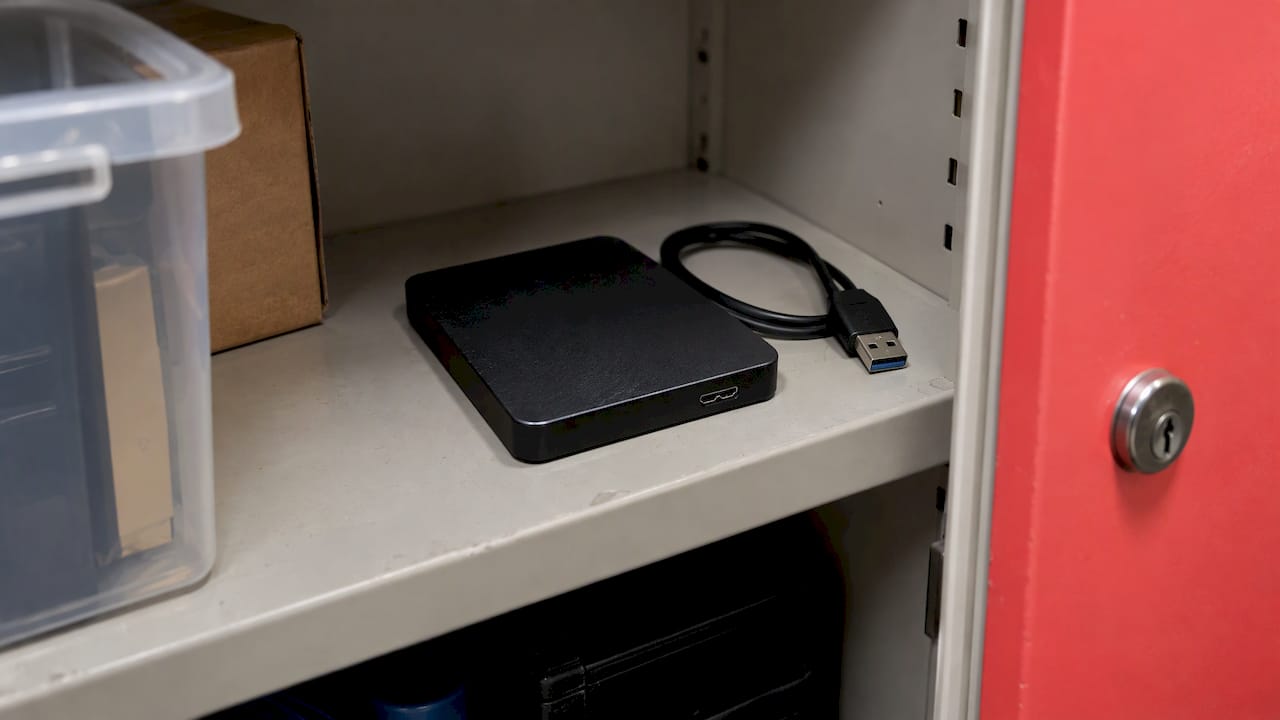
The Indiana Cybersecurity Hub’s Quick Response Guide gives the sequence: tell management, consult your incident response plan and contact your cyber insurer if required. It also recommends reporting cybercrime to law enforcement, backing up critical systems daily to a separate offline device, refreshing employee training and revisiting your response plan afterward.
The Indiana SBDC’s Data Assured Workbook advises that your first call should likely be to an attorney who knows breach response and remediation. It also notes that in a small business, the owner or one employee may fill every role on the response team, and that is fine as long as you know where to get help in each area, including legal.
The Hub’s Privacy Toolkit 2026 adds recovery steps: notify affected individuals promptly as the law requires, report to state authorities with the Indiana Data Breach Notification Form, notify law enforcement if a crime is suspected, restore from clean backups, verify the restored data, apply patches and tell customers what happened and what you did to protect them.
The best advice may be in the SMB privacy document: write down who does what ahead of time, including who calls the Attorney General and who contacts customers, and practice it. A one-page plan with names and phone numbers, printed and stored offline, beats a perfect plan nobody can find.
How we see small business security
Most small businesses we meet do not have a security problem so much as a pile of unconnected IT decisions. One vendor set up email, another handles the firewall, a third sold a backup product, and nobody is accountable for how the pieces work together.
That is why we manage IT as one integrated environment. Security is not a separate product bolted on at the end. It runs through how we handle patching, identity, backups, networks and cloud tools like Microsoft 365, so that gaps do not sit between vendors.
We also aim at root causes. If the same issue keeps coming back, restarting something is not the answer. Our approach is to find out why it happens and fix that, backed by a technology roadmap that ties spending to what your business is trying to do.
For Indiana organizations that already have an IT person, co-managed support can add security monitoring, backups and strategy without replacing them. For those without, a managed relationship gives you one accountable team. Either way, you should know who is responsible and what they are doing.
Cameron
Choosing the right level of help
The NIST guide itself suggests bringing in a managed security service provider when parts of the work are beyond your comfort. In practice, the decision usually looks like this:
Whatever you choose, ask who is accountable for each control in the table above, and get the answer in writing.
Put a team behind your security
Curetopia Networks provides managed IT and cybersecurity for organizations in Indianapolis and Central Indiana. Our cybersecurity services work alongside backup and disaster recovery, network management and cloud administration, so your protections are planned together and someone is accountable for them.
To see where you stand, request a free IT assessment, or read about our backup and disaster recovery service if ransomware recovery is your biggest worry. Pricing depends on your environment, so we scope it with you.
FAQ
Do small businesses in Indiana really get targeted?
Yes. Indiana’s own survey found over 95% of respondents significantly concerned about cybersecurity incidents, and the same report says 91% of attacks start with phishing. Attackers send these messages in bulk, so they do not need to know who you are. Any business with email, customer data or payment processes is a target.
Where should a small business start with cybersecurity?
Take the free Indiana Cybersecurity Scorecard to get a baseline. Then enable multifactor authentication, keep software patched, train your staff on phishing and set up encrypted, isolated daily backups. These match the practices recommended by CISA and the Indiana SBDC.
Does the Indiana privacy law apply to my small business?
The ICDPA applies based on how many Indiana residents’ data you process, not on business size. The thresholds are 100,000 residents, or 25,000 with more than 50% of revenue from selling data. Even below them, the state’s guidance says you must secure Hoosier data and follow the Data Disposal Law. Ask an attorney how it applies to you.
What should I do first after a suspected breach?
Involve management, follow your incident response plan and contact your cyber insurer if required. Indiana SBDC guidance says your first call should likely be to an attorney experienced in breach response. Then report to law enforcement if a crime is suspected, and meet the Attorney General’s notification requirements.
Sources
Recommended
Co-Managed IT Support: How It Works and When It Fits
Co-managed IT support is an arrangement in which your internal IT staff stay in charge while an outside provider takes on defined work: help desk overflow, after-hours coverage, security monitoring, patching or projects. You keep ownership of priorities and business context. The provider adds people, tools and depth where your team is stretched. If you have in-house IT and feel the gaps, this is usually the model to look at first.
This guide explains how co-managed support works, how the work gets divided, what to check before you sign, and how to tell whether it is paying off. It is written for Indianapolis and Central Indiana business leaders and IT managers.
Curetopianetworks
Extend Your Team’s IT Capacity
Curetopia Networks provides managed IT and cybersecurity support for Indianapolis organizations, helping address recurring issues and align technology with business goals.
Explore co-managed IT
TL;DR
- Co-managed IT keeps your internal team in place and adds an outside provider for specific duties, such as after-hours support, security, monitoring or projects.
- It differs from fully managed IT, where the provider carries most or all responsibility. ITBroker’s glossary describes the same split.
- Strong arrangements define who owns what, share tickets and tools, and limit provider access to what it manages.
- Measure it with a handful of numbers: response and resolution times, repeat tickets, patch status, backup test results and the progress of your technology roadmap.
- Our co-managed IT services are built for organizations in Indianapolis and Central Indiana that already have IT people.
Table of Contents
What co-managed IT support actually is
Think of co-managed IT as a shared operating model. Your internal team remains. A provider performs an agreed slice of the work, and the line between the two is written down.
The slice can be small or large. One company hands over only nights and weekends. Another gives the provider its security tooling and monitoring. A third keeps day-to-day support in house and brings the provider in for a Microsoft 365 migration or a network rebuild.
What stays constant is control. Your IT lead or manager still decides priorities, knows which department runs which application, and answers to leadership. The provider works inside that frame instead of replacing it.
Co-managed vs. fully managed IT
The difference is where responsibility sits.
|
Co-managed IT |
Fully managed IT |
| Internal IT staff |
Yes, they stay and lead |
Usually none, or a single coordinator |
| Who owns priorities |
Your team |
Shared, with the provider running day-to-day |
| Provider’s scope |
Defined duties: tiers, hours, domains or projects |
Most or all of IT |
| Best for |
Companies with IT people who need depth, coverage or capacity |
Companies without internal IT |
| Typical trigger |
Burnout, skill gaps, security demands, growth |
No IT staff, or a one-person shop that is overwhelmed |
Neither model is better in the abstract. It depends on whether you already employ people who know your business. If you do not, fully managed IT services are the cleaner fit. If you do, co-managed lets you keep that knowledge and add to it.
Signs your business is ready for co-managed IT
The need usually shows up as a pattern, not a single crisis. Watch for these:
- Your IT person is the single point of failure. Vacation, illness or resignation would leave you exposed.
- Nobody covers nights and weekends. Outages and security alerts do not wait for Monday.
- Projects keep losing to tickets. The cloud migration, the firewall refresh and the documentation all slip because the help desk eats the day.
- Security has outgrown the team. Insurance questionnaires, customer security reviews and compliance expectations ask for monitoring, logging and response that a small team cannot staff alone.
- Skills are uneven. Your team is strong on desktops and users but thin on networking, backup design or cloud administration.
- Growth is coming. A new location, an acquisition or a wave of hiring will add load faster than you can recruit.
If two or three of those sound familiar, a conversation is worthwhile. You do not need to be in trouble to benefit. Many teams use co-managed support to get ahead of problems.
How responsibilities get divided
There is no single template, and the best arrangements are written around your team. According to ITBroker, work can be split by support tier, by operating hours, by technical domain or by project. In practice that looks like this.
By support tier
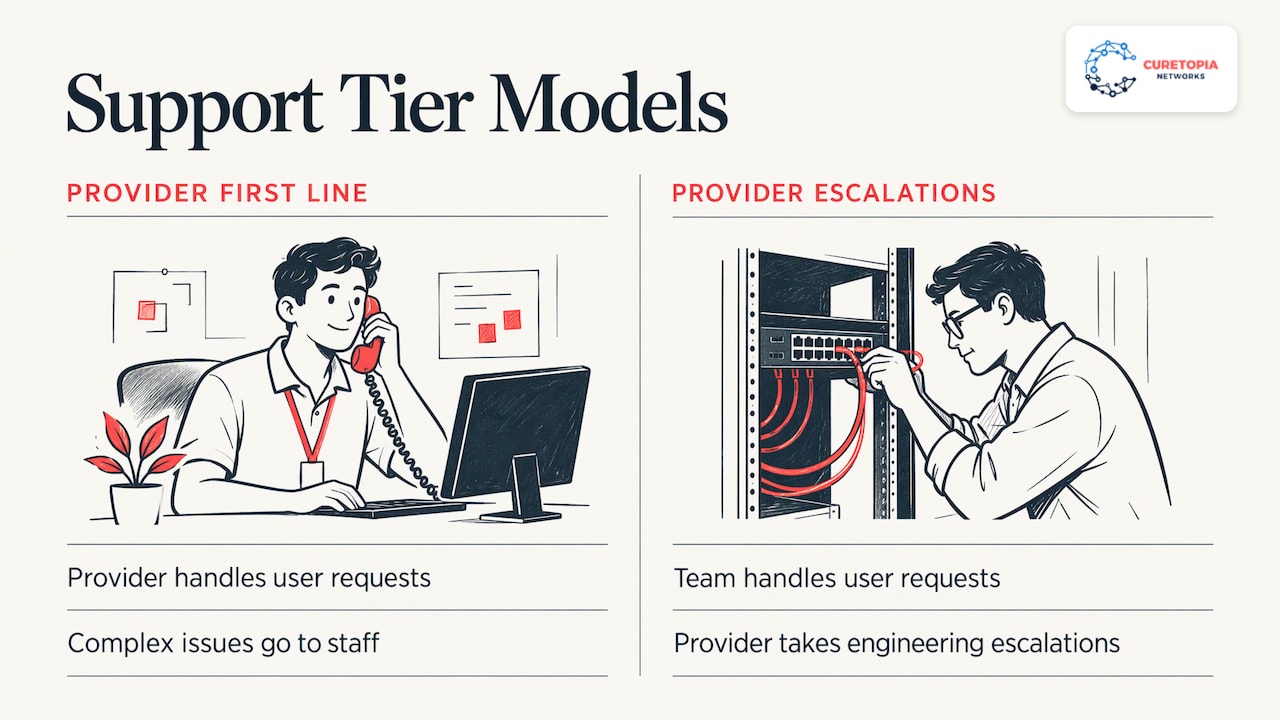
The provider answers first-line requests such as password resets, printer issues and onboarding, and escalates anything complex to your staff. The reverse also works: your team handles users, and the provider takes escalations that need deeper engineering.
By hours
Your team covers business hours. The provider covers evenings, weekends and holidays, so an alert at 2 a.m. gets looked at by someone awake.
By technical domain
Your team keeps user support and line-of-business applications. The provider takes monitoring, patching, backup and recovery, security tooling or Microsoft 365 administration. Domains are a natural split when your people have clear strengths.
By project
The provider brings engineering capacity for a defined effort: a server migration, a network redesign, a tenant consolidation. When it ends, the day-to-day returns to your team with documentation.
Most businesses combine two or three of these. A common mix is after-hours coverage plus security monitoring plus occasional projects.
What a co-managed provider can deliver
Scope varies by provider, so ask for specifics. Services that businesses commonly look for include:
That last item matters more than it seems. Internal teams are often too busy to plan. An outside advisor who sees many environments can turn a pile of urgent purchases into a sequence.
Benefits, and how to get them
Done well, co-managed support gives you:
- Coverage you cannot staff alone. Round-the-clock monitoring requires several people. Sharing that with a provider is usually far more practical than hiring.
- Depth on demand. You reach specialists in security, networking and cloud without carrying their full-time salaries.
- Relief for your team. Routine work moves off their plate so they can focus on projects that move the business.
- Continuity. Documentation and a second team mean a departure is a disruption, not a disaster.
- Control. Your people keep the decisions and the business knowledge.
The benefits depend on setup. Co-managed works best when responsibilities are written down, tools are shared and both teams treat each other as one department. Settle those points before the first ticket and the rest follows.
What to check before you choose a provider
Use this list when you talk to providers.
- Written responsibilities. Ask for a clear matrix of who handles what, who escalates to whom and what response times apply. Include what happens when a task falls between the lines.
- Shared visibility. Both teams should see the same tickets and alerts. ITBroker also notes that you should agree whether to use the provider’s tools or yours, and that shared administrative access should be logged.
- Security terms in the contract. The joint advisory from CISA and its international partners says customers should verify that contractual arrangements include cybersecurity measures matching their security requirements.
- Limited provider access. The same advisory says provider accounts should not sit in your internal administrator groups and should be restricted to the systems the provider manages, following least privilege. Ask how this will be set up.
- Onboarding. Find out how the provider learns your environment, documents it and hands back anything it builds.
- Fit with your team. Your staff will work with these people daily. Meet them. A provider that treats your team as partners will outperform one that treats them as obstacles.
- Local presence. If you want on-site help in Indianapolis or across Central Indiana, confirm who comes and how fast.
- Exit terms. Know how you retrieve documentation, credentials and data if you ever change course.
What the first 90 days should look like
A sound start is structured. In the first weeks, the provider and your team review the environment, inventory systems and agree on the responsibility matrix. Next come the tools: monitoring, ticketing, access and documentation. Then the provider begins taking on the duties you assigned, starting with the least risky and building up.
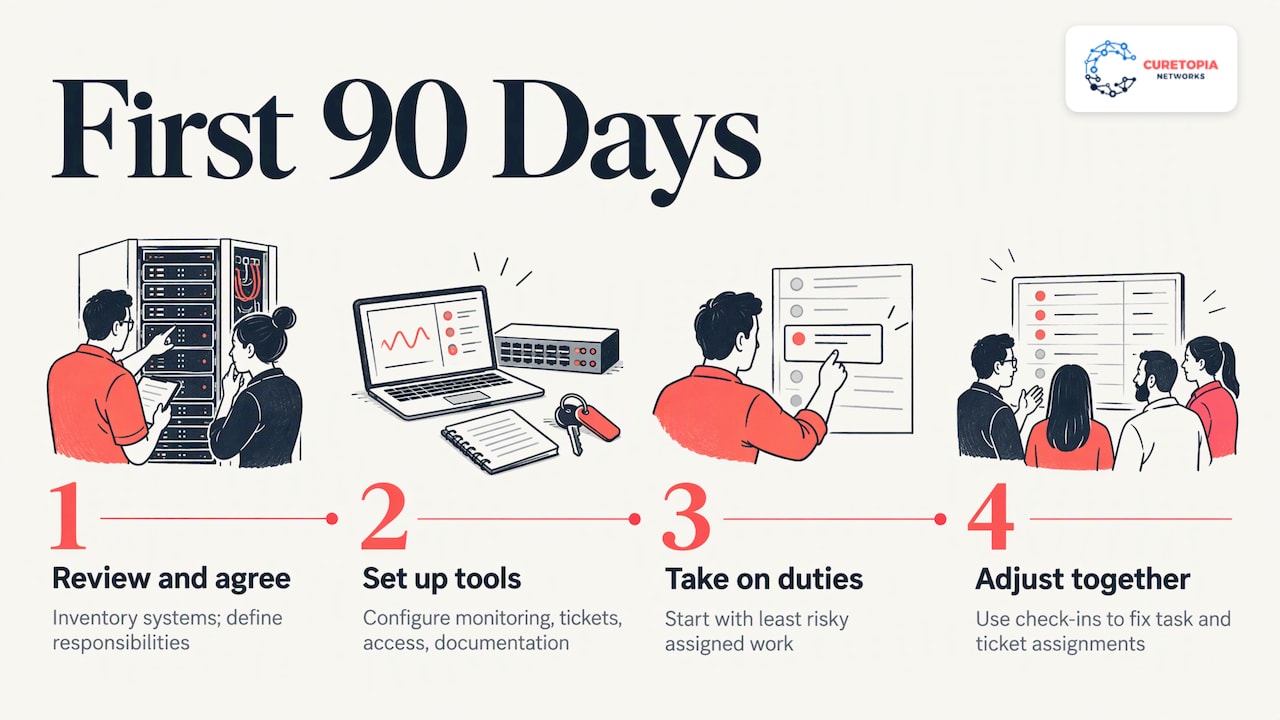
Expect a few adjustments. The first month usually reveals tasks nobody assigned and tickets that belong in a different queue. That is normal, and a regular check-in between both teams is how you fix it.
How to measure whether it is working
You should not have to guess. Pick a short set of measures at the start, record a baseline and review monthly or quarterly.
| Area |
What to track |
What good looks like |
| Reliability |
Unplanned downtime, number of outages |
Fewer and shorter incidents over time |
| Responsiveness |
Time to first response and time to resolve, including after hours |
Consistent, matching the agreed targets |
| Recurring problems |
Repeat tickets for the same issue |
Falling, because root causes get fixed |
| Security |
Patch status, endpoint coverage, alerts handled, access reviews |
Gaps closing and items closed on schedule |
| Recovery |
Backup success and restore test results |
Tests pass and recovery times are known |
| Team capacity |
Hours your staff spend on projects instead of tickets |
More time on planned work |
| Planning |
Roadmap items completed, budget surprises |
Fewer emergency purchases |
The last two rows are often the most telling. If your internal team is still firefighting after six months, the division of work needs revisiting. Ask your provider for a regular report and a standing review so you can have that conversation early.
Our perspective
Most companies come to us after the same story. A capable IT person or small team has been holding everything together, and the business has grown past what they can cover. Nobody did anything wrong. The workload simply changed.
We built our approach around treating IT as one integrated environment, not a set of separate fixes. That is why co-managed works well for us: we can take the pieces that wear your team down, such as monitoring, security, backup or escalations, while your people keep the knowledge that only comes from working inside your business every day.
We aim to find and resolve root causes instead of patching the same issue again and again, and to be clear about who is accountable for what. In a co-managed relationship, that clarity is the whole point. Write down the split, share the tools and review the results together.
If you have internal IT and want it to be stronger, not replaced, we would be glad to talk.
Cameron
Co-managed IT for Indianapolis and Central Indiana
Curetopia Networks supports organizations across Indianapolis and Central Indiana. Our co-managed IT services pair with your existing team to add coverage, security and strategy where you need it, with accountability that is spelled out from the start.
If you are comparing options, you may also want to see how we work with nonprofits and accounting and CPA firms, or browse our industry pages. To discuss your team and what you would like to hand off, start at curetopianetworks.com.
FAQ
What is the difference between co-managed IT services and co-managed IT support?
In everyday use, they describe the same thing. Both mean an outside provider shares defined IT work with your internal team. “Support” tends to stress the help desk and escalation side, while “services” covers the full range, including security, cloud and projects.
Do we need an internal IT team to use co-managed IT?
Yes, that is the premise. Co-managed IT assumes someone inside your company owns priorities and decisions. If you have no IT staff at all, fully managed IT is typically the better fit because the provider carries the whole load.
Will co-managed IT replace our IT staff?
It is not designed to. The goal is to extend your team with coverage, skills and capacity, and to let your staff spend more time on planned work. Your team keeps ownership of priorities and business knowledge.
How do we keep a provider from having too much access to our systems?
Set limits in writing. Joint guidance from CISA and partner agencies recommends that provider accounts stay out of internal administrator groups and be restricted to the systems the provider manages, using least privilege. Also agree that shared administrative access is logged.
What should we hand off first?
Most teams start with the work that causes the most strain and carries the least risk to move, such as after-hours monitoring or overflow tickets. Security tooling, backup and larger projects often follow once the working relationship is established.
Sources
Recommended
Cybersecurity Risk Assessment: A Practical Guide for Businesses
A cybersecurity risk assessment is a structured way to find out what your business has to protect, what could go wrong, how likely it is and how much it would hurt, so you can fix the biggest problems first. NIST defines risk as a function of the degree of harm and the likelihood that the harm occurs. The assessment identifies threats, vulnerabilities, potential harm and likelihood. This guide shows how to run one, what to include, how to score what you find and how to turn the results into a safer business.
Curetopianetworks
Turn Cybersecurity Findings Into Action
Curetopia Networks provides managed IT and cybersecurity services to help Central Indiana businesses address recurring issues and align technology with business goals.
Explore IT and cybersecurity services
TL;DR
- A risk assessment lists your assets, the threats and weaknesses around them, and the likelihood and impact of each risk, then ranks them so you know what to fix first.
- A solid business assessment covers people, software, devices, networks, cloud accounts, backups and the vendors you depend on, not just firewalls.
- Score each risk by likelihood and impact, record it in a risk register and choose a response: mitigate, accept, avoid or transfer.
- It is not a one-time project. Review it at least once a year and again after any material change, such as an incident, a migration or a new regulation.
- The value comes from acting on the findings. A prioritized roadmap with an owner and a deadline for each item is what lowers your risk.
Table of Contents
What a cybersecurity risk assessment actually is
Think of it as an inventory plus a judgment. The inventory answers what you have: laptops, servers, cloud accounts, customer data, the line-of-business application your team cannot work without. The judgment answers what could realistically happen to each of those things and what it would cost you when it does.
Microsoft describes it as a structured way to identify, evaluate and address vulnerabilities that could put an organization at risk, with key steps of defining scope, identifying assets, assessing threats and vulnerabilities, evaluating controls and prioritizing risks. It also stresses that assessments should be ongoing, with findings feeding into business planning.
Three terms come up constantly, and mixing them up causes confusion in reports:
- Threat: something that can cause harm, such as a phishing campaign, a ransomware crew, a careless click or a failed hard drive.
- Vulnerability: a weakness a threat can use, such as an unpatched server, a shared admin password or a missing multi-factor prompt.
- Impact: what the business loses when it happens: downtime, recovery costs, lost customers, regulatory exposure.
Risk is what you get when you combine them. A severe vulnerability on a system that holds nothing important may rank below a modest weakness on the system that runs payroll.
Why a business needs one
Most small and midsize organizations do not lack security tools. They lack a clear picture of where those tools stop. One office has multi-factor authentication on email but not on the remote access tool. Backups run nightly but nobody has restored from them. A former employee’s account is still active.
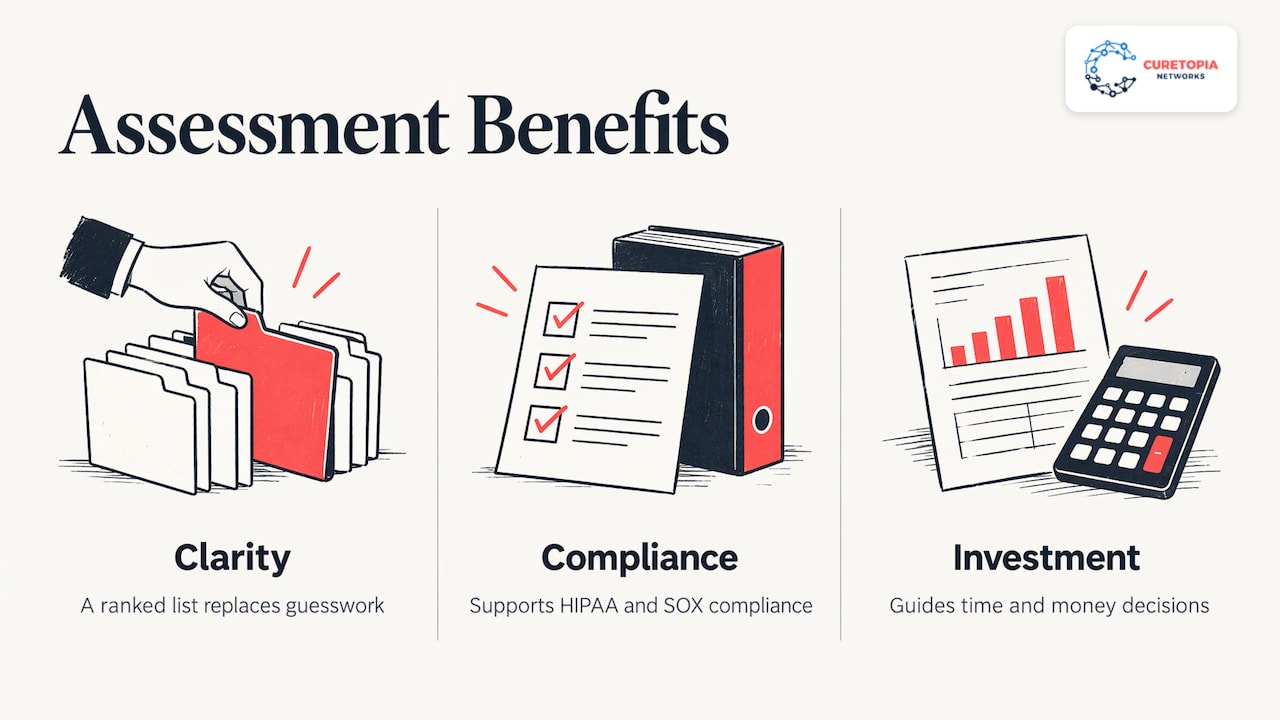
An assessment replaces guesswork with a ranked list. Microsoft notes that, with a shortage of security expertise and a rise in cloud and AI-driven threats, an assessment gives an organization a clearer view of where it stands before an incident happens. It also supports compliance with regulations such as HIPAA and SOX and helps guide investment.
That last point matters to anyone who signs the budget. The FTC’s small business guidance on the NIST framework describes the framework as voluntary and meant to help you decide where to focus time and money. A risk assessment is how you make that decision with evidence instead of whoever argued loudest.
What a business cybersecurity risk assessment should include
Microsoft lays out a ten-part structure that works well as a checklist. Here it is in plain terms, with what each part means for a typical Indiana office of 20 to 200 people.
- Define the scope. Decide what is in: physical locations, software systems, the network layer and people. Include remote workers and personal devices if staff use them for work.
- Identify assets. List hardware, software, network equipment and the people with access, and classify each by how critical it is.
- Pinpoint threats. Phishing, ransomware, account takeover, insider error, vendor compromise, theft, power or hardware failure.
- Identify vulnerabilities. Missing patches, weak or reused passwords, unmanaged devices, over-broad permissions, untested backups.
- Evaluate existing controls. Sort what you already have into preventive, detective and corrective controls.
- Identify likelihood and impact for each risk scenario.
- Calculate risk by combining likelihood and impact.
- Recommend mitigations that balance risk reduction against cost and complexity.
- Document and report. An executive summary, detailed technical findings and prioritized action items.
- Review and repeat as an ongoing cycle.
The NIST small business quick-start guide adds business-side questions that technical checklists often skip. It recommends that you understand how cyber risks could disrupt your mission, know your legal, regulatory and contractual cybersecurity requirements, assess the impact of a total or partial loss of critical assets, consider whether cyber insurance is appropriate, and assess the risks posed by suppliers and third parties before entering a relationship.
If your firm handles client financial data, the same logic applies with industry-specific detail. Our CPA firm IT security checklist shows what that looks like for accounting practices.
The steps, in order
Searchers often ask for the five steps. The honest answer is that frameworks differ: CISA’s guide has six, Microsoft’s has ten and many vendor articles compress the work into five. They describe the same flow. Here is the version we find easiest to run, mapped to CISA’s six-step guide.
| Step |
What you do |
CISA step |
| 1. Inventory |
Document network assets and their vulnerabilities |
Step 1 |
| 2. Gather intelligence |
Use sources of cyber threat intelligence to see what attackers are doing |
Step 2 |
| 3. Map threats |
Identify and document internal and external threats |
Step 3 |
| 4. Define impact |
Identify what each loss would do to operations |
Step 4 |
| 5. Score risk |
Combine threats, vulnerabilities, likelihoods and impacts |
Step 5 |
| 6. Decide responses |
Identify and prioritize risk responses |
Step 6 |
Step 1: Build the inventory
Start with a list of every device, application, cloud service and data store, plus who can reach each one. The FTC recommends making a list of all equipment, software and data your business uses, and that advice holds up: you cannot assess what you have not counted. Shadow IT, such as a team signing up for a file-sharing app on a credit card, is where inventories most often come up short.
Step 2: Learn what attackers are doing
Threat intelligence sounds exotic, but for a business it often means reading current advisories from government agencies and your software vendors, and asking your IT provider what they are seeing across their clients. The goal is to weight your threat list toward what is actually active, not what makes headlines.
Step 3: Map internal and external threats
Do not look only outside. CISA points out that threat sources can come from inside an organization, so you should document internal processes and records, including administrative privileges on the network, activity logs of those granted access, and reliance on a managed service provider or a supply chain software vendor’s tools. Internal does not mean malicious. A well-meaning employee with admin rights on a laptop is a risk because of the rights, not the person.
Step 4: Define what a loss would cost
This is the step that turns a technical exercise into a business one. For each critical system, ask what happens if it is unavailable for an hour, a day or a week, and what happens if the data in it is exposed. Write the answers in operational terms: invoices cannot go out, the production line stops, clients cannot be served.
Step 5: Score the risk
Use a simple scale. Rate likelihood and impact from 1 to 5, multiply, and sort. The numbers below are an illustration of the method, not findings about any real company.
| Risk scenario |
Likelihood (1-5) |
Impact (1-5) |
Score |
Priority |
| Phishing leads to a stolen email login with no MFA |
4 |
5 |
20 |
Fix now |
| Backups fail and nobody notices |
3 |
5 |
15 |
Fix now |
| Former employee account still active |
3 |
4 |
12 |
Next 30 days |
| Unpatched office printer |
3 |
2 |
6 |
Schedule |
| Single internet connection fails |
2 |
3 |
6 |
Schedule |
Priority is not purely arithmetic. NIST IR 8286B notes that the relative priority of cyber risks must be decided by those with appropriate authority, and that a risk directly affecting the mission is likely to be high priority, while financial loss, reputation and other factors also weigh in. Leadership, not just IT, should sign off on the ranking.
Step 6: Choose a response for each risk
The NIST enterprise risk management quick-start guide lists four responses to negative risk: mitigate, accept, avoid and transfer. Mitigating means adding controls. Accepting means a named person agrees to live with it. Avoiding means stopping the activity. Transferring often means insurance or contractually shifting responsibility. The same guide describes a cybersecurity risk register as the place to record known threats and vulnerabilities, their impact on business objectives and the responses taken or planned. Keep one. It becomes your roadmap.
Using NIST SP 800-30 as your backbone
NIST SP 800-30 is the document most often cited for how to run an assessment. Revision 1 was written for federal systems, but it encourages state, local and tribal governments and private sector organizations to consider using it too. It breaks the work into four tasks: prepare for the assessment, conduct it, communicate the results and maintain it. It also guides organizations in choosing risk factors to monitor so they can tell when risk has climbed to an unacceptable level.
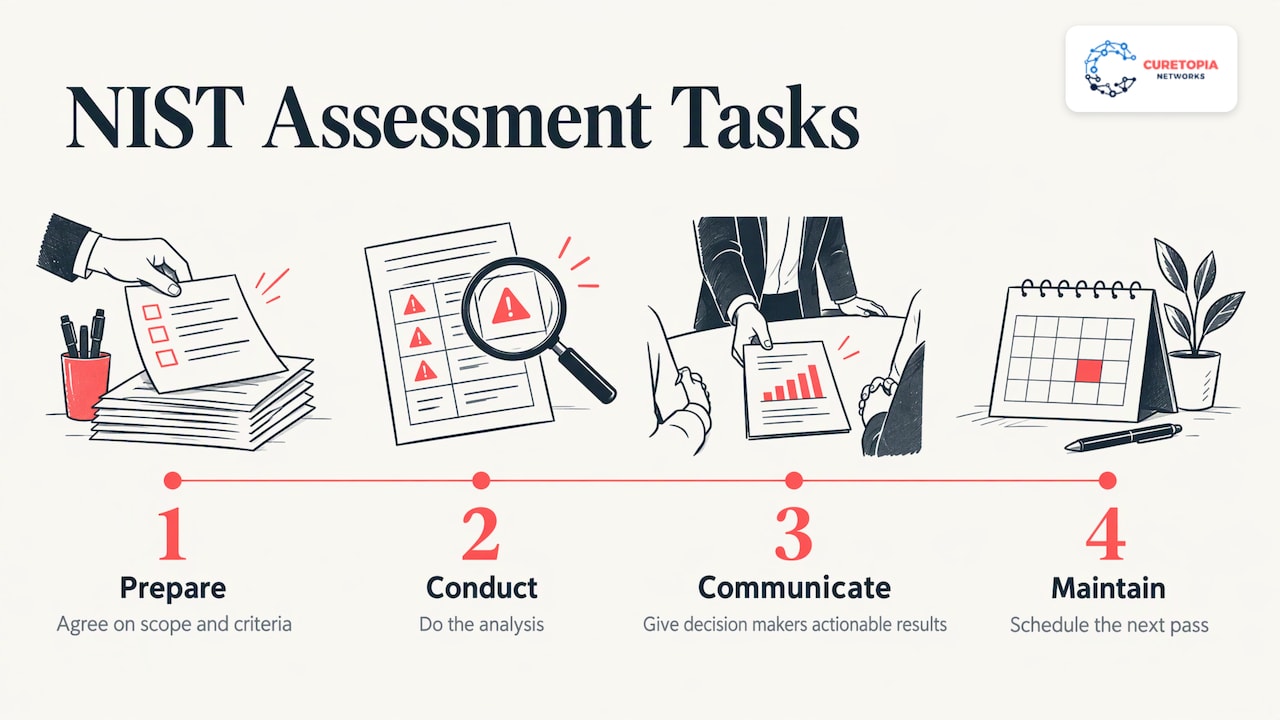
You do not need to follow every page to benefit. Borrow the four-part rhythm: agree on scope and criteria first, do the analysis, put the results in front of decision makers in language they can act on, then schedule the next pass.
Turning findings into lower risk
A report that sits in a drawer reduces nothing. The actions that tend to rise to the top of most small and midsize assessments are consistent with CISA’s mitigation guidance for small and mid-sized businesses:
- Apply the principle of least privilege, so people only have the access their job needs.
- Require multi-factor authentication.
- Preserve and correlate log information, and monitor the network and hosts.
- Manage data backups, including air-gapped storage.
- Update software and operating systems regularly.
- Review contracts with service providers so they include security controls and incident notification requirements.
CISA’s Cyber Essentials Starter Kit adds starting with MFA for privileged, administrative and remote access users, using unique passwords for every account and writing IT policies that cover changes in user status, such as when someone joins, changes roles or leaves.
The FTC’s guide groups protective measures under five areas: Identify, Protect, Detect, Respond and Recover. Under Protect it lists controlling who logs on, using security software, encrypting sensitive data at rest and in transit, regular backups, updating security software and training employees. That list is a useful sanity check against your own roadmap: if you have items under Protect but nothing under Detect or Recover, you are only planning for the attack you manage to stop.
NIST IR 8286B also offers a vocabulary for the kinds of controls you can choose: preventative, deterrent, detective, corrective and compensating. A compensating control is the practical one for older systems you cannot replace this year: you add monitoring or network isolation around the weakness while a proper fix is budgeted.
Two areas deserve a closer look because they overlap with daily operations:
- Backups and recovery. Whether you can restore, and how fast, determines how bad a ransomware event becomes. See how we approach backup and disaster recovery.
- Cloud and email. Most business data now lives in Microsoft 365 or Google Workspace, so identity and permission settings there carry real weight. Our Microsoft 365 and cloud page explains how we manage that environment.
If your team works from home or on the road, the access paths multiply. We cover that in our guide to secure remote work.
Our perspective
Most of the organizations we meet in Indianapolis and Central Indiana do not have a security problem so much as a visibility problem. They have a firewall from one project, backups from another, email security from a third, and nobody responsible for how those pieces fit together.
That is why we treat IT as one integrated environment. An assessment is most useful when the same people who find the gaps are accountable for closing them, and when the findings feed a technology roadmap tied to how the business actually makes money. We aim to address root causes rather than apply one-off fixes, because the same issue returning every quarter is itself a finding.
Our advice is to treat the first assessment as a baseline and the second as proof of progress. Rank the risks, put an owner and a date next to each, and revisit the list on a schedule. Leaders who do this tend to feel less operational chaos, because surprises become planned work.
Cameron
How often to review and update your assessment
An assessment is a living document. CISA’s guide says a cyber risk assessment is not meant to be conducted just once, and that it should be refined continually as new technologies and methods become available and are adopted.
In practice, use two triggers:
- Scheduled: InventiveHQ recommends reviewing at least once a year, with quarterly reviews and continuous monitoring in higher-risk industries.
- Event-driven: review right away after a security incident, a new or migrated system, a merger or a new regulation.
CISA’s Cross-Sector Cybersecurity Performance Goals 2.0 frames the cycle in four steps: perform an initial self-evaluation, identify and prioritize gaps by cost, complexity and impact, invest in the prioritized gaps, and review progress regularly after 12 months. It also notes that the worksheet can help when asking leadership for funding for cybersecurity projects, which is a practical way to connect the assessment to the budget conversation. If budgeting is the sticking point, our IT budget planning guide walks through it.
Common mistakes that weaken an assessment
- Scoping too narrowly. Assessing only the office network misses cloud accounts, home devices and vendors.
- Ignoring suppliers. The NIST quick-start guide and CISA both flag third-party and provider tools as a risk source. Ask what access each vendor has and what they must tell you after an incident.
- Treating it as a compliance checkbox. Frameworks like NIST CSF help structure the work, but the goal is lower business risk, not a stamped document.
- No owner. A finding without a named person and a date rarely gets fixed.
- No re-check. Without a follow-up pass, you cannot show that risk went down.
Where we fit
If you want the assessment and the follow-through handled by one accountable team, that is what we do. Curetopia Networks provides managed IT and cybersecurity for organizations in Indianapolis and Central Indiana, covering security, backups, cloud administration and technology planning as one environment. Our cybersecurity services turn assessment findings into controls, and our vCIO and IT consulting work turns them into a roadmap and budget your leadership can approve.
If you want to see where you stand first, start with our free IT assessment. If you already have an internal IT person who needs backup, our co-managed IT option supports your team rather than replacing it. Organizations that want the whole environment run for them can look at managed IT services. Nonprofits can see how we work with mission-driven organizations, and you can browse IT services by industry.
FAQ
What is a risk assessment in cybersecurity?
It is the process of identifying, evaluating and prioritizing the threats and vulnerabilities that could harm your information and systems. You list your assets, determine what could go wrong, estimate likelihood and impact, and rank the results. The output is a prioritized list of actions.
What are the five steps of a cybersecurity risk assessment?
A common version is: take inventory, identify threats and vulnerabilities, determine impact, score risk by combining likelihood and impact, and put controls in place before reviewing and repeating. CISA’s guide splits the same work into six steps, and Microsoft’s into ten. The sequence is what matters, not the count.
What should a risk assessment include?
At minimum: scope, an asset inventory classified by criticality, threats, vulnerabilities, existing controls, likelihood and impact for each scenario, a calculated risk ranking, recommended mitigations and a report with an executive summary. Add third-party and internal risks, and your legal and contractual obligations.
What is the NIST 800-30 risk assessment?
NIST Special Publication 800-30 is a guide to conducting risk assessments. It covers preparing for the assessment, conducting it, communicating results and maintaining it over time. It was written for federal systems, but private organizations are encouraged to consider using it.
How can a business reduce cybersecurity risk after an assessment?
Work the ranked list from the top. Typical early wins include multi-factor authentication, least-privilege access, tested backups, regular patching and monitoring. Record each decision in a risk register, assign an owner and review progress on a set schedule.
Sources
Recommended
Microsoft 365 Managed Services: What You Get and How to Choose
Microsoft 365 managed services mean a provider takes over the day-to-day running of your Microsoft 365 tenant: user accounts, licensing, security settings, support, backups and planning. You keep the subscription. They keep it healthy, secure and aligned with how your business works. If you run a growing company in Indianapolis or Central Indiana and your Microsoft 365 setup has turned into a pile of one-off fixes, this is the model that replaces them with a steady, accountable routine.
This guide explains what a Microsoft 365 service provider does, what is typically included, how managed services differ from the software subscription, and how to define scope so nobody is guessing about who owns what.
Curetopianetworks
curetopianetworks.com
Bring Microsoft 365 Into Focus
Curetopia Networks manages Microsoft 365 within an integrated IT environment, helping Central Indiana businesses reduce recurring issues and strengthen security.
Explore our IT services
TL;DR
- Microsoft 365 is the software you license. Managed services are the people and processes that administer, secure, support and plan it for you.
- Typical scope covers user administration, help desk support, security configuration, monitoring, backup, licensing and ongoing tenant care.
- Newer tools such as Copilot make the work around permissions, data hygiene and adoption more important, not less.
- Before you sign, write down who owns each task, how fast issues get answered and how you will review results.
- We manage Microsoft 365 as part of one integrated IT environment, so identity, devices, security and backup are never handled in isolation.
Table of Contents
What Microsoft 365 managed services actually are
A managed service is an arrangement in which you outsource the daily management of a defined IT function to a specialist. Techopedia describes typical examples as remote monitoring and management of servers, network administration and cybersecurity services. Microsoft 365 managed services apply the same idea to one platform: email, Teams, SharePoint, OneDrive, identity and the security controls wrapped around them.
The provider acts as your outsourced administrator and first line of support. Your staff call or message one team when a mailbox misbehaves, a new hire needs an account by Monday or a file-sharing setting looks wrong. Behind the scenes the same team watches for risky sign-ins, keeps configurations consistent and tells you when licensing or settings should change.
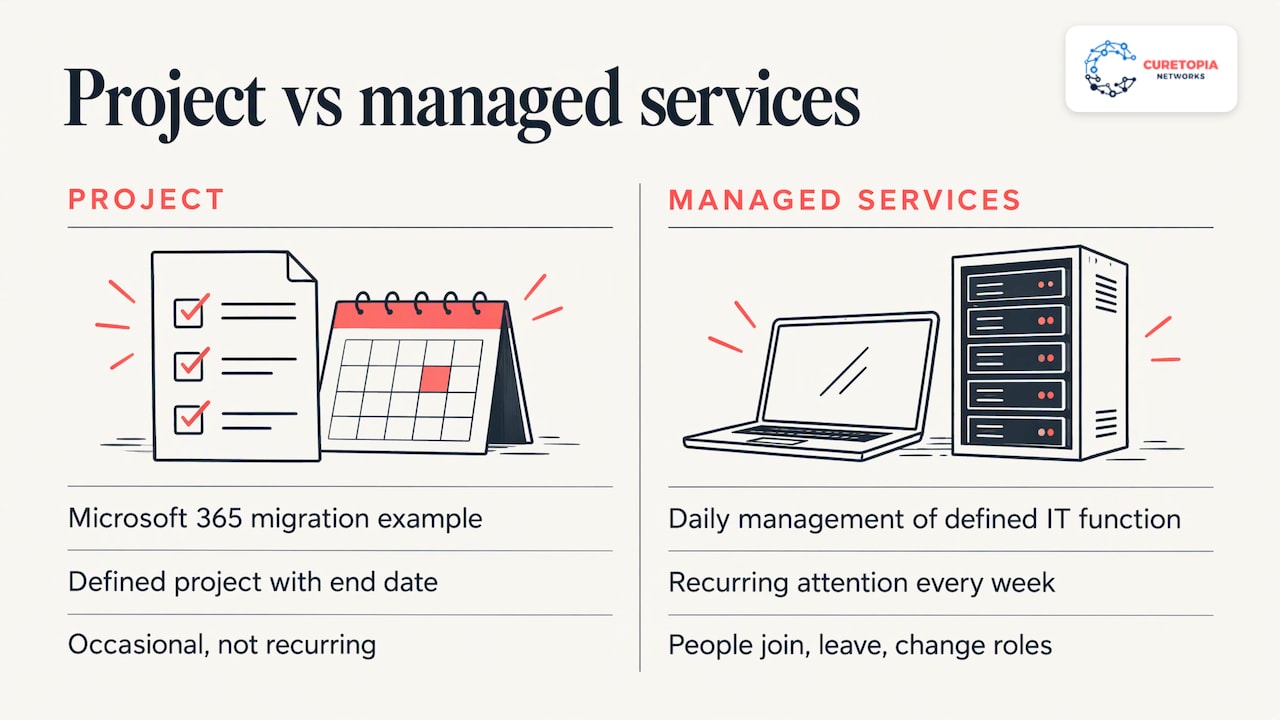
That is a different job from an occasional project. A project, such as a migration to Microsoft 365, has an end date. Managed services are recurring: the tenant needs attention every week because people join, leave, change roles, share files and get targeted by phishing.
Is Microsoft 365 a subscription service?
Yes. Microsoft licenses its enterprise plans on a user subscription basis, and each account that uses the product needs its own user subscription license. Microsoft’s guidance also says you must license the use of a product whether or not technical controls enforce it, and where a product is on by default for everyone and cannot be restricted, you license every user you intend to benefit from it.
Business plans work the same way in principle. The Microsoft 365 Business Standard license terms state that the service is licensed, not sold, and allow a subscriber to install it on up to five devices they own and control.
This matters for managed services because licensing is a running task. People leave, contractors come and go, and plans change. Someone has to assign licenses to the right accounts, reclaim them when staff depart and match plans to what each role needs. A provider that handles this keeps your subscription lined up with your actual headcount.
SaaS versus managed services
People often confuse the two, and the “People also ask” box on this topic does too. The distinction is simple.
- SaaS is software delivered over the internet on subscription. Techopedia lists Microsoft 365 and Google Workspace as examples.
- Managed services are the outsourced management and upkeep of your IT services, as BitLyft explains, and they are broader than any single application.
Put plainly: Microsoft supplies the platform, and a managed services provider operates it for your organization. Microsoft keeps its own data centers and applications running. It does not decide your conditional access rules, review who has access to the finance folder or answer your office manager when a shared mailbox stops syncing. That layer is yours to staff, or to hand to a partner.
The same source notes that managed services can reach beyond software into hardware decisions, for example advising a company to retire aging servers in favor of cloud-delivered services. That is why we treat Microsoft 365 as one part of a larger environment rather than a standalone product.
What is typically included
Providers package things differently, but the work falls into recurring groups.
User and license administration
Onboarding and offboarding, group and mailbox management, shared mailboxes, distribution lists, license assignment and reclamation, and role-based access. This is the highest-volume work and the area where mistakes cause the most day-to-day friction, such as a departed employee whose account is still active.
Help desk and end-user support
A defined channel for questions and incidents: Outlook problems, Teams meeting issues, OneDrive sync errors, MFA resets and “where did my file go” requests. Ask about hours, response targets and who actually answers.
Security configuration and monitoring
Multi-factor authentication, conditional access, email protection settings, device compliance policies, sign-in monitoring and alert review. Because these settings sit inside the tenant, they need continuous attention as your business changes. Our cybersecurity services cover this layer alongside the rest of your environment.
Backup and recovery
Microsoft 365 data lives in the cloud, but a recovery plan for mail, files and SharePoint content is still something your business should have defined. A provider can pair tenant management with backup and disaster recovery so a deletion or incident has a documented way back.
Reporting, optimization and planning
Regular reviews of license use, security posture and open issues, plus a roadmap for what to change next. This is where managed services separate from break-fix support: someone is looking at the whole tenant on a schedule, not only when something fails.
Governance for SharePoint, Teams and data
External sharing rules, site ownership, retention and naming conventions. Without them, collaboration sprawl builds quietly and becomes a security and productivity problem.
Where Copilot and AI change the scope
Microsoft 365 Copilot has pushed a new set of tasks into managed scope. Microsoft’s M365 Copilot MSP Playbook describes managed service providers as the first line of support for Copilot issues. It lists partner-owned responsibilities that include first-line user support, how-to questions, prompting guidance, readiness blockers such as permissions, oversharing and data hygiene, Entra ID, Purview and SharePoint configuration issues, Conditional Access or DLP misconfiguration, low adoption, training, and issues with custom-built agents.
The same playbook describes a four-phase lifecycle: Assess, Activate, Adopt, and Optimise and Govern. It maps each phase to services a provider already delivers, such as security, identity, SharePoint and Teams governance, reporting and the service desk. It also notes that Copilot works within your existing Microsoft 365 settings, so results depend on each customer’s configuration, adoption and service design.
The practical lesson for any business is that AI tools expose whatever is untidy in your tenant. If permissions are loose, an assistant can surface documents to people who should not see them. Cleaning up access and data hygiene first is ordinary managed-services work, and it pays off whether or not you ever turn Copilot on.
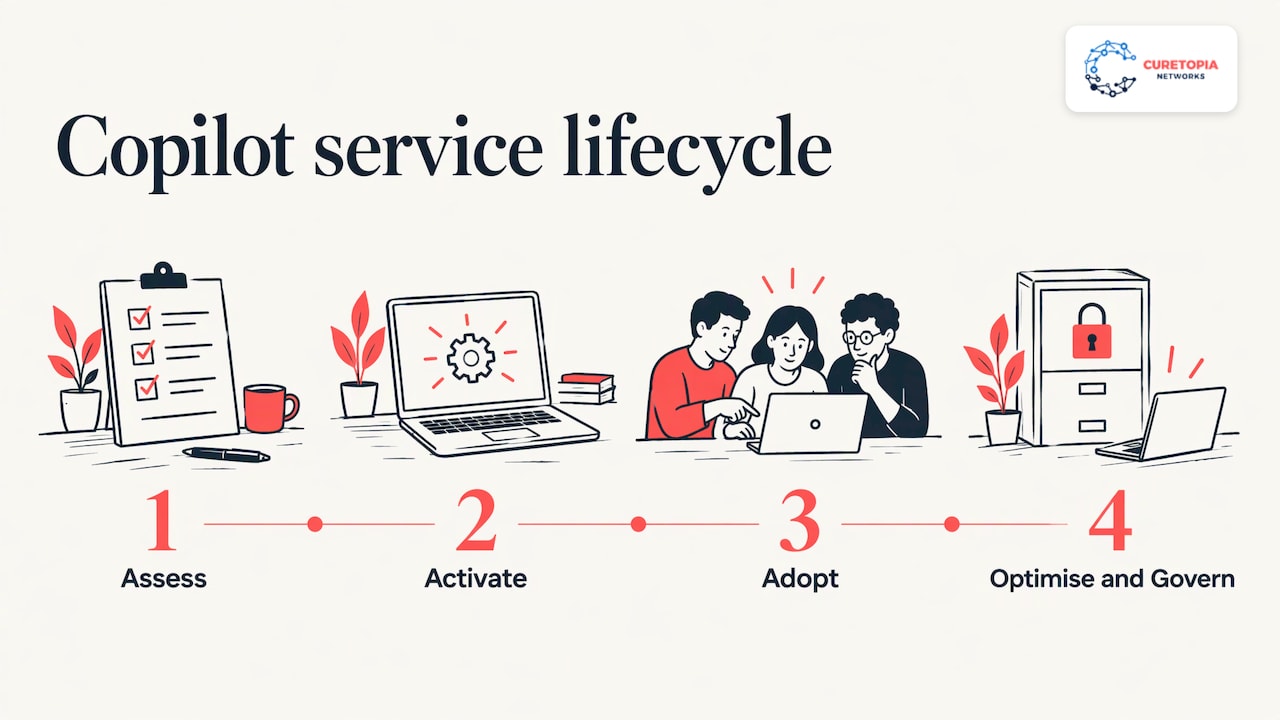
Adoption and custom workflows
Licensing a tool and getting people to use it are different things. Role-based training and examples that match real jobs drive adoption, and the same thinking applies when you are automating customer onboarding without losing the human touch. If you build custom agents or connect other systems to Microsoft 365, ownership of the logic, data sources and integrations needs to be written down. For teams with field crews, looking at field service automation shows how workflow tools and offline work fit into a wider technology picture.
How managed Microsoft 365 improves security, reliability and planning
Security. Consistent configuration beats heroic cleanup. When one team owns identity, device policies, email protection and monitoring, gaps between them close. Microsoft 365 is also tied to identity, so securing it means securing how people sign in, not only the apps.
Reliability. A defined support channel and proactive monitoring cut the time between a problem appearing and someone acting on it. Staff stop improvising workarounds, and the same issue stops recurring because someone finds the root cause.
Planning. A provider that sees the whole tenant can tell you which licenses you are not using, which plan fits which role and what to adopt next. Tying that to a technology roadmap is the job of a vCIO and IT consulting function, which turns scattered purchases into a plan with budget and sequence.
How to define scope and responsibilities
Most disappointment in managed services comes from vague scope, not poor effort. Before you sign, get these items in writing.
- Tenant ownership. The tenant and global administrator accounts should belong to your organization. Know who holds admin rights and how access is removed if the relationship ends.
- Included tasks. List the routine work: onboarding, offboarding, license changes, mailbox and group requests, MFA resets. Note whether each is unlimited, scheduled or billed separately.
- Support hours and response targets. Define how requests arrive (phone, email, portal), when someone answers and how urgent incidents are escalated.
- Security responsibilities. Specify who configures and reviews MFA, conditional access, email protection and device policies, and how often.
- Backup and recovery. State what is backed up, how often, how long it is kept and how a restore is requested.
- Licensing. Clarify who purchases licenses, who tracks usage and how plan changes are handled.
- Projects versus ongoing work. Separate one-time work, such as a migration or Copilot readiness assessment, from recurring management, as the Microsoft playbook does with onboarding and managed services.
- Reporting and reviews. Agree on what you will see, how often, and who attends the review.
- Third-party tools and integrations. Decide who owns line-of-business connections, custom agents and the data they use.
- Exit terms. Documentation, credentials and data handover should be defined from the start.
If you already have internal IT
Scope does not have to be all or nothing. If you have an IT person or small team, co-managed IT lets the provider cover the Microsoft 365 administration, security monitoring or after-hours support while your team keeps projects and day-to-day relationships.
Choosing a Microsoft 365 service provider
Use criteria you can check in conversation rather than slogans.
- Integrated view. Does the provider manage Microsoft 365 alongside your network, endpoints, backup and security, or only the tenant?
- Root-cause approach. Ask how they handle a recurring problem. You want someone who traces it and fixes it permanently.
- Clear accountability. One named contact and a regular review beat a ticket queue with no owner.
- Local presence. For Indiana organizations, a provider in your region understands your industry mix and can be on site when a problem is not remote.
- Fit with your sector. Firms handling client financial data, nonprofits with tight budgets and manufacturers with shared devices have different needs. We publish pages for accounting and CPA firms and nonprofits, among other industries.
- Plain communication. Reports and recommendations should read in business terms: risk, cost, time saved.
Our perspective
We see the same pattern in Indianapolis offices again and again. Microsoft 365 was set up quickly, a few admins accumulated, settings were changed to solve one urgent problem, and nobody ever looked at the whole picture. Nothing is broken enough to call someone, yet nobody is confident about it either.
Our view is that Microsoft 365 should never be managed as a separate island. Identity, devices, network, backup and security all touch it, so we manage them as one integrated environment. That is how we aim to reduce downtime, tighten security and give you someone accountable instead of a series of ad-hoc fixes.
When a problem returns, we look for the root cause. When a new tool such as Copilot arrives, we start with the groundwork: permissions, data hygiene and a plan for how your people will actually use it. And because technology should serve the business, we pair day-to-day management with a technology roadmap, so spending follows your goals.
Good managed services feel quiet. Accounts are ready when people start, issues get answered, and your leadership knows where the risks are and what the next step is.
Cameron
Managed Microsoft 365 with Curetopia Networks
We provide Microsoft 365 and cloud management for businesses, nonprofits and professional firms in Indianapolis and Central Indiana, as part of our broader managed IT services. That includes administration, support, security and planning delivered by a local team that works with your environment as a whole.
If you want to see what a clear, accountable Microsoft 365 scope would look like for your organization, talk to our team. We will review how your tenant is set up today and outline what ongoing management would cover.
FAQ
What is managed Microsoft 365?
It is an arrangement where an IT provider administers your Microsoft 365 environment for you on an ongoing basis. That usually covers user and license management, support, security settings, monitoring, backup and regular reviews. You keep the subscription and ownership of the tenant.
What are some examples of managed services?
Common examples include remote monitoring of servers, network administration and cybersecurity services. Microsoft 365 management, backup and disaster recovery, help desk support and strategic IT planning are others. Each hands a defined function to a specialist.
What is the difference between SaaS and managed services?
SaaS is software you subscribe to, such as Microsoft 365. Managed services are the outsourced operation and maintenance of your IT, which can include administering that software. BitLyft describes managed services as the broader of the two.
Is Microsoft 365 a subscription service?
Yes. Microsoft licenses it per user on a subscription basis, and every account that benefits from the product needs a license. A managed provider helps keep those licenses matched to your staff.
Do I need managed services if I already have an IT person?
Not necessarily all of it. Many organizations use a co-managed model in which the provider handles Microsoft 365 administration, security monitoring or after-hours coverage, and the internal person focuses on projects and users.
Sources
Recommended
How to Prevent Data Breaches: A Practical Plan for Business
You prevent data breaches by shrinking what an attacker can reach and making the common entry points hard to use. That means knowing what data you hold, requiring multi-factor authentication (MFA), patching quickly, training staff, controlling vendor access, and keeping tested backups and a rehearsed response plan. None of this takes exotic tools. It takes consistency, and for most small and midsize organizations in Indianapolis and across Central Indiana, someone who owns it every week.
Curetopianetworks
Strengthen Your Business Security
Curetopia Networks provides managed IT and cybersecurity services for Central Indiana organizations, helping reduce downtime and address security vulnerabilities.
Explore managed IT services
TL;DR
- Most breaches come from a short list of repeat causes: human error, phishing, unpatched software, lost devices and misconfigured systems.
- Federal guidance (CISA, FTC, FBI) points to the same core controls: MFA, fast updates, least-privilege access, encryption, and tested backups.
- Collect and keep less data. What you do not store cannot be stolen.
- Vendors and cloud tools are part of your attack surface, so list them, limit their access, and revoke it when contracts end.
- Write an incident-response plan and rehearse it. Know which notification rules could apply to you before you need them.
Table of Contents
Why data breaches keep happening
Breaches are rarely clever. A George Washington University law review article on recurring breach patterns lists the same enablers appearing again and again: human error, phishing, unpatched software, lost devices, misconfigured servers, collecting data that is not needed, keeping it too long, and plain carelessness.
That list is good news. Each item has a known countermeasure, and none requires a large security department. The trouble is that these countermeasures decay. A patch gets postponed, an employee leaves and keeps their login, a backup job fails silently for three months. Breach prevention is less a project than a habit, which is why the plan below is organized as recurring checks rather than one-time purchases.
Start by knowing what data you hold
The FTC’s guide to protecting personal information organizes a sound program into five steps: take stock of the personal information you have, scale down what you collect and keep, lock what remains, securely dispose of what you do not need, and plan for incidents.
In practice, start with a simple inventory:
- Where does sensitive data live? Servers, laptops, cloud storage, email, shared drives, paper files, and removable media all count.
- How does it get there? Web forms, email attachments, client portals, and vendors that send you files.
- Who can reach it? Names, roles, and whether each person truly needs it.
- How long do you keep it? If you have no retention rule, old client files are quietly accumulating risk.
The FTC also advises identifying every system and connection that holds sensitive information and assessing each one for foreseeable attacks. That includes restricting unauthorized software downloads, disabling unnecessary services and ports, and running current anti-malware protection.
A CPA firm, a nonprofit with donor records, and a manufacturer with supplier contracts will all end up with different inventories. The method is the same.
Lock down accounts and access
Stolen or guessed credentials are one of the most common ways in, so this is where the biggest return sits.
CISA’s guidance for small businesses recommends using phishing-resistant MFA where available, along with strong passwords, prompt updates, logging, backups, and encryption. Its small-business guidance goes further on how to enforce MFA: mandate it through technical controls, check regularly for accounts that are not compliant, enable MFA on every system-administrator account, and remove administrator privileges from user laptops.
The phrase “technical controls” matters. A policy that says everyone should use MFA is not the same as a system that refuses to let anyone sign in without it.
Least privilege and offboarding
The FTC recommends limiting access to employees with a legitimate business need, and having people put files away, log off computers, and lock cabinets and office doors at day’s end. Paper and removable media count too.
The Ohio Attorney General’s breach-prevention guide adds a rule that is easy to forget: revoke physical and electronic access immediately when an employee separates. Build that into your HR checklist so IT is notified the same day, not the following week.
A quick access review every quarter, covering who has admin rights, who has access to financial or client data, and which accounts have not been used in 90 days, catches most drift.
Patch and update on a schedule
Unpatched software is on the recurring-cause list for a reason. Attackers scan the internet for known flaws and reach the unpatched first.
CISA recommends prioritizing vulnerabilities in its Known Exploited Vulnerabilities Catalog and turning on automatic updates wherever possible. That gives you a sensible triage rule: flaws already being used in real attacks come first.
The same guidance suggests setting measurable objectives for MFA adoption, patch coverage, and the percentage of systems backed up. Numbers turn security from a feeling into something you can track. A simple monthly scorecard could include:
| Measure |
What to track |
Why it matters |
| MFA coverage |
Share of accounts with MFA enforced |
Blocks most stolen-password logins |
| Patch coverage |
Share of devices fully updated |
Closes known entry points |
| Backup coverage |
Share of critical systems backed up |
Limits damage if data is lost or locked |
| Offboarding speed |
Time from departure to access removed |
Removes dormant access |
| Restore test |
Date of last successful restore |
Proves backups actually work |
Be sure to include network equipment, firewalls, and servers in patching, not just laptops. Those are the devices people forget.
Train people to be part of the defense
Phishing and human error top the breach list, so staff awareness is a control, not an HR formality.
The Ohio Attorney General’s guide says employees should be trained to secure personal devices, avoid unknown attachments and unfamiliar links, verify purported contacts, recognize and report suspicious activity, and tell management promptly about mistakes or lost devices.
The last item is the cultural one. If an employee who clicked a bad link fears punishment, they will stay quiet and the attacker gets days of free access. Make it clear that reporting fast is the right move, and thank people who do.
For a starting point on baseline account security and employee awareness controls, pair short, regular training with the technical safeguards above. A few habits cover most of the ground:
- Verify any request involving money or credentials through a second channel, such as a phone call to a known number.
- Report suspicious emails with one click rather than deleting them.
- Lock devices and report a lost laptop or phone immediately.
- Keep work data off personal accounts and unmanaged apps.
If your team works from home or on the road, our guide to secure remote work covers the extra controls that matter outside the office.
Manage vendors and cloud services
Your data is only as safe as the weakest provider holding it. Accounting platforms, payroll services, cloud storage, and IT contractors all hold a piece of your risk.
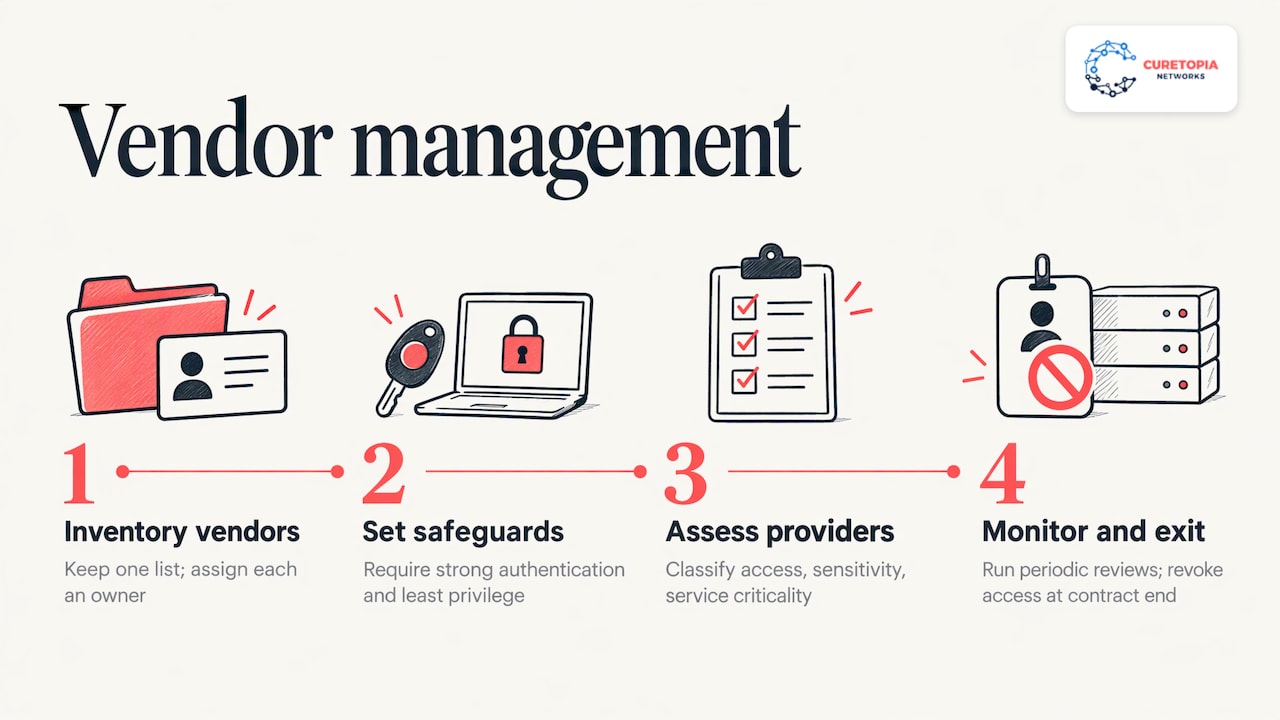
The FBI recommends keeping one list of third parties that handle your data, each with a named internal owner. It also recommends requiring strong authentication and least privilege, and writing rapid breach notification, encryption, and annual control verification into contracts. When a contract changes or ends, revoke the vendor’s access and confirm what happened to your data.
New York’s Department of Financial Services issued third-party guidance in October 2025. It is written for New York covered entities, but the method is useful anywhere. It advises classifying providers by access, data sensitivity, and how critical the service is, then running periodic risk-based assessments and ongoing monitoring. It also points to reviewing vendor access controls, encryption, unique traceable accounts, incident-response testing, and independent assessments such as SOC 2 or ISO 27001.
For a small organization, a workable version is a one-page vendor questionnaire, a request for the vendor’s latest independent assessment, and an annual review of anyone who touches sensitive data. The Ohio guide likewise suggests applying equivalent security expectations to vendors handling your information.
Cloud suites need configuration, not just a subscription. Sharing settings, admin roles, and conditional access are where misconfiguration creeps in, which is why our Microsoft 365 and cloud management is built around ongoing administration rather than one-time setup.
Back up your data and rehearse your response
No prevention program is perfect, so the second half of prevention is limiting the damage.
Backups that survive an attack
CISA’s 2025 backup guidance recommends inventorying your critical information and following the 3-2-1 rule: three copies, on two media types, with one off-site. It also says to test restoration so data can be restored to at least seven days back.
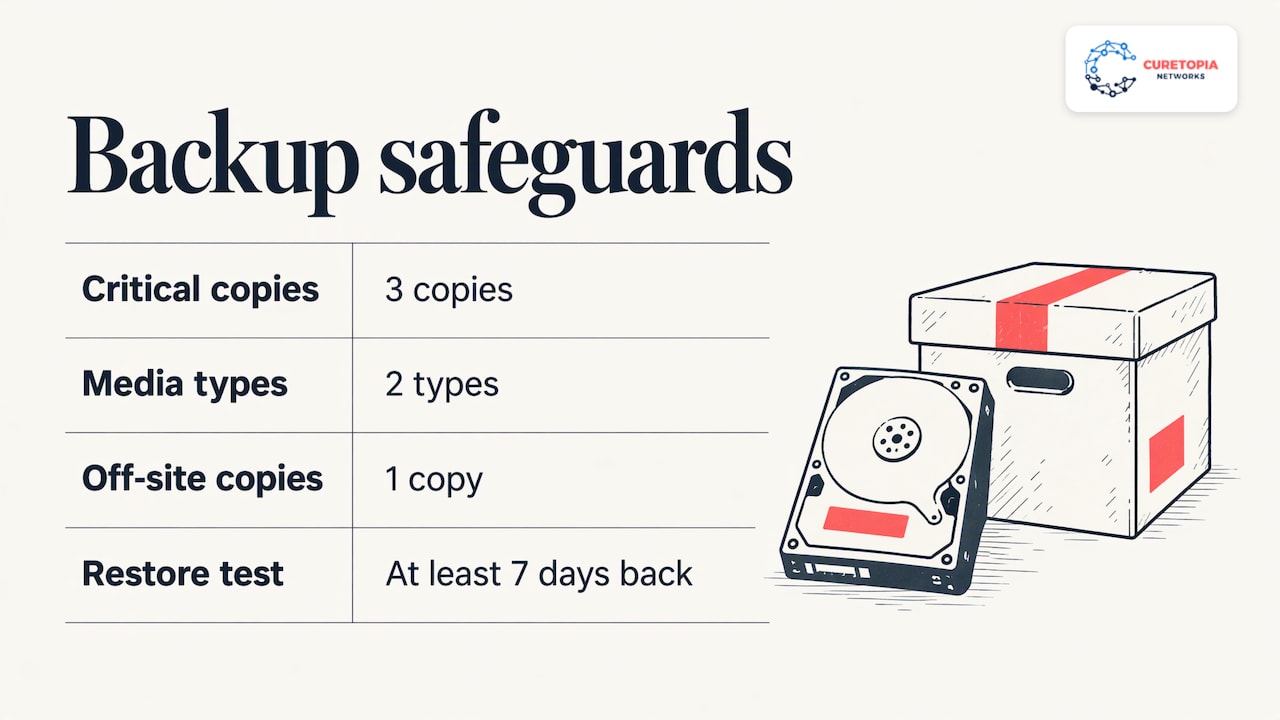
The FBI adds details that matter against ransomware: include an offline and immutable copy, protect the backup platform with strong authentication and separate admin accounts, and regularly test restores against your recovery requirements. The FCC suggests backing up documents, spreadsheets, databases, and financial, HR, and payables data, automatically if possible and at least weekly, with copies off-site or in the cloud.
A backup you have never restored is a hope, not a plan. Put a restore test on the calendar.
An incident-response plan people have practiced
CISA says response plans should be developed, maintained, updated, and exercised for scenarios such as ransomware, with leadership and legal counsel included, and reviewed at least annually. The FBI recommends a concise playbook covering roles, decision authority, isolation actions, and evidence preservation, plus a focused 60-minute tabletop exercise each quarter with technical, legal, communications, operations, and leadership participants.
Your playbook should answer, on one or two pages:
- Who makes the call to shut systems down?
- Who contacts your insurer, attorney, and IT provider, and with what numbers?
- How do you preserve evidence before wiping anything?
- Who speaks to clients, staff, and regulators?
Our perspective
Most of the breaches we see described are not failures of a single tool. They are failures of ownership. The firewall was fine, but nobody noticed the unpatched server. MFA existed, but not on every account. Backups ran, but nobody had ever restored one.
That is why we manage IT and security as one integrated environment rather than a pile of separate fixes. When the same team handles your accounts, devices, cloud tools, network, and backups, gaps between them get found and closed. We aim to diagnose the root cause of a recurring problem instead of patching around it, and we aim to give you clear accountability for who is responsible for what.
For many organizations in Central Indiana, the practical answer is steady, proactive care: MFA enforced, patches applied, access reviewed, backups tested, and a technology roadmap that keeps security tied to business goals. If you already have an internal IT person, a co-managed arrangement can add the security coverage and depth alongside them.
Cameron
Know which breach-notification rules could apply
Notification duties depend on your industry and your state, so confirm them with your attorney before an incident. Two federal examples show how specific they get.
Under the FTC Safeguards Rule, covered financial institutions must notify the FTC as soon as possible and no later than 30 days after discovering unauthorized acquisition of unencrypted information on at least 500 consumers. The FTC Health Breach Notification Rule requires vendors of personal health records and related entities to notify affected individuals without unreasonable delay and within 60 calendar days, with FTC and, in qualifying cases, media notice.
If you handle tax, financial, or health information, add the relevant rule to your response playbook now, so the clock is not a surprise.
How we help Indianapolis organizations close these gaps
Curetopia Networks provides managed IT and cybersecurity for businesses, nonprofits, and professional firms in Indianapolis and Central Indiana. Our cybersecurity services address the account, patching, and monitoring controls above, and our backup and disaster recovery service is designed to keep your data recoverable when something goes wrong.
If you want one team accountable for all of it, see our managed IT services, or talk to us about co-managed IT if you have in-house staff. Accounting firms can start with our CPA firm IT security checklist.
A 90-day starting plan
If the full list feels heavy, sequence it:
- Days 1 to 30: Enforce MFA on all admin and email accounts, remove local admin rights from laptops, and list your sensitive data and vendors.
- Days 31 to 60: Close patch gaps, starting with known exploited vulnerabilities. Run a first restore test. Remove accounts for former employees.
- Days 61 to 90: Write the response playbook, hold a first 60-minute tabletop, and launch regular staff training.
Then repeat on a cycle. Quarterly tabletop exercises and access reviews, monthly scorecards, and annual vendor reviews keep the controls from decaying.
FAQ
What is the single most effective way to prevent a data breach?
There is no single fix, but enforced MFA on every account, especially email and administrator accounts, closes one of the most common doors. CISA recommends mandating MFA through technical controls and checking for accounts that are not compliant. Pair it with fast patching and tested backups.
What should I do if I think my business has been breached?
Follow your incident-response playbook: isolate affected systems, preserve evidence, and bring in leadership, legal counsel, and your IT provider. The FBI advises that a playbook cover roles, decision authority, isolation actions, and evidence preservation. Then check which notification rules apply to your industry and state.
How often should we test backups and response plans?
Test restores regularly, and run a short tabletop exercise each quarter. The FBI suggests a 60-minute tabletop every quarter, and CISA recommends reviewing and drilling response plans at least annually. A restore test after any major system change is a good habit.
Are vendors really part of my breach risk?
Yes. Any provider with access to your data or systems can be a path in. Keep a single list of vendors with named owners, require strong authentication and least privilege, and revoke access and confirm data disposition when a contract ends.
Sources
Recommended
EDR Tools: What They Do and How to Choose One
EDR tools (endpoint detection and response) watch every laptop, desktop and server in your business for suspicious behavior, record what happens on each device, and let someone isolate a compromised machine before an attack spreads. Picking the software is only half the job. The other half is making sure a trained person reviews the alerts and acts on them, every day, including nights and weekends. This guide covers how EDR works, how it differs from antivirus, what to evaluate, and how Indianapolis-area organizations typically put it to work.
Curetopianetworks
curetopianetworks.com
Put EDR in a Stronger Security Plan
Curetopia Networks integrates cybersecurity and managed IT for Indianapolis and Central Indiana organizations, with proactive support and clear accountability.
Explore cybersecurity support
TL;DR
- EDR continuously monitors endpoint activity and pairs it with rules-based automated response, which lets you spot and contain attacks that signature-based antivirus misses.
- Antivirus and EDR can run together, but EDR is the stronger fit once you have more than a handful of devices, remote staff or sensitive data.
- Compare tools on detection quality, response actions, how well they fit your existing Microsoft or Google environment, and how much staff time they demand.
- An EDR product without someone watching it is just a log file. Decide who triages alerts before you buy.
- We manage EDR as part of an integrated cybersecurity program for businesses in Indianapolis and Central Indiana.
Table of Contents
An EDR tool installs a small agent on each endpoint: laptops, desktops, servers and, in some products, mobile devices. The agent collects activity data such as which programs launched, which files changed, which network connections opened and which accounts logged in. That data flows to a central console, where it is analyzed in real time and kept so analysts can look back at what happened.
The U.S. government’s definition is a good plain-language anchor. The Office of Management and Budget describes EDR as combining real-time continuous monitoring and collection of endpoint data with rules-based automated response and analysis. Three ideas are packed in there:
- Continuous monitoring. The tool does not wait for a scheduled scan. It watches behavior as it happens.
- Recorded history. Endpoint data is retained so you can reconstruct an incident: where it started, which machines it touched, what it changed.
- Automated response. When behavior matches a rule, the tool can act: kill a process, quarantine a file, or cut a device off from the network.
Most products add a fourth layer on top: behavioral analytics, often using machine learning, that flags activity that looks wrong even when no known malware signature exists.
What EDR is built to catch
Because EDR looks at behavior rather than only file fingerprints, it is aimed at threats that change shape or hide in normal tools. The same federal memo says EDR provides the visibility needed to respond to advanced threats such as polymorphic malware, advanced persistent threats and phishing. In day-to-day business terms, that means things like:
- Ransomware that begins encrypting files on one workstation and tries to spread.
- A stolen password used to log in and then quietly run administrative tools.
- A phishing attachment that launches a script rather than an obvious virus.
- Unusual data copying from a laptop that suddenly starts uploading large files.
EDR vs. antivirus: where the line sits
Traditional antivirus compares files against a list of known threats and runs scans on a schedule or on demand. EDR keeps watching all the time. One industry explainer puts it this way: EDR tools monitor every device in an organization and record activity into a real-time log, while antivirus focuses on local devices and known threats.
The same source notes that the right choice depends on your security requirements. Antivirus can be enough for a consumer with simple needs, while EDR is often the better choice for organizations with more complex IT and network environments. Using both is also an option, with antivirus handling common attacks and EDR focusing on the sophisticated ones.
|
Traditional antivirus |
EDR |
| Main method |
Matches files to known threats |
Watches behavior and records activity |
| Timing |
Scheduled or manual scans |
Continuous |
| Visibility |
The local device |
All enrolled endpoints in one console |
| Response |
Remove or quarantine a file |
Isolate the device, end processes, roll back changes, investigate |
| Needs a person? |
Rarely |
Yes, someone has to review and act on alerts |
That last row is the one most buyers overlook, and we come back to it below.
Why organizations are adopting EDR
Every device that connects to your network is a possible way in. That is the reasoning the federal government gave when it made EDR a priority: the OMB memo calls EDR essential for transitioning to a zero trust architecture, because zero trust assumes no device is safe by default and needs ongoing proof of device health.
The memo also makes a point that private organizations can borrow: EDR solutions need to be appropriately resourced and staffed, with funding to keep the tool running for its whole lifespan. In other words, budget for the people and the process, not just the license.
Schools, libraries and other public-sector organizations in Indiana face this on top of compliance duties. If that describes you, E-Rate and CIPA compliance support covers the funding and policy side, while endpoint protection covers the technical side of keeping student and staff devices safe.
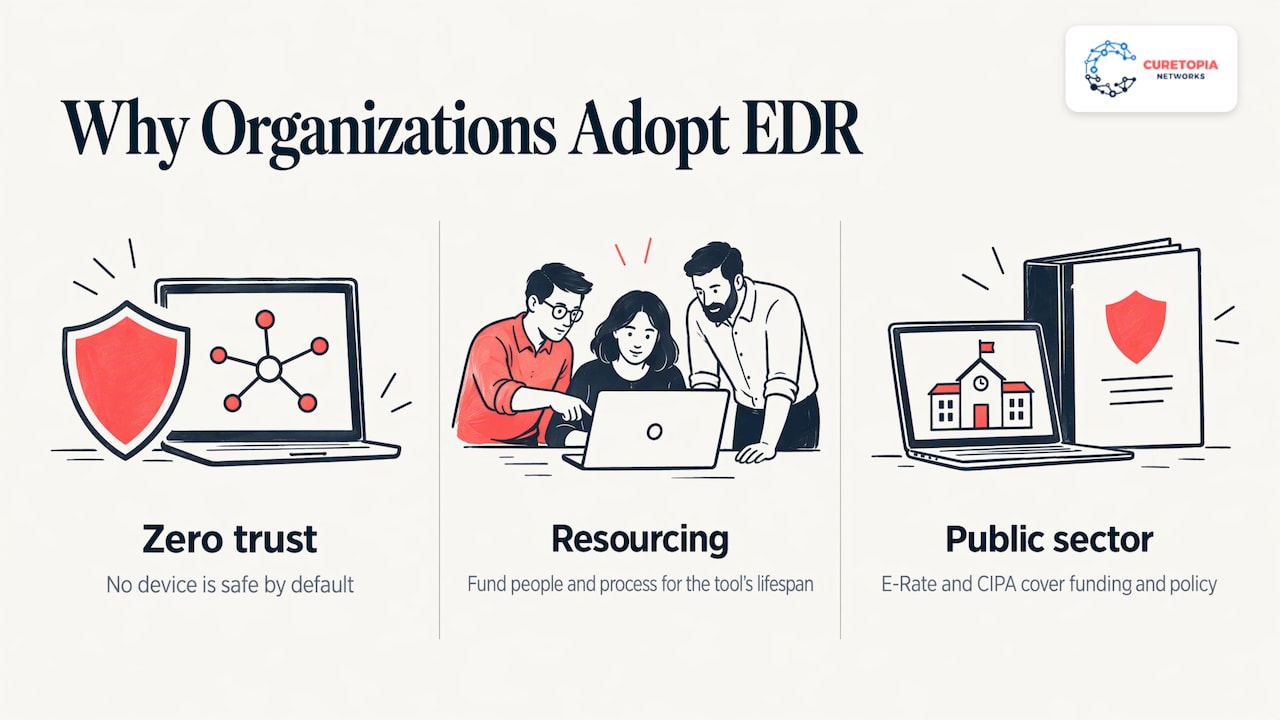
How EDR supports investigation and incident response
When an alert fires, the real work begins. A well-run EDR deployment lets an analyst answer four questions quickly:
- What happened? The timeline shows the process tree, files touched and connections made.
- How far did it spread? Fleet-wide searches look for the same file, hash or behavior on other machines.
- Can we stop it now? Remote controls let the analyst isolate the device from the network, end a process or remove a file.
- Is it safe to bring back? After cleanup, the analyst verifies the device is clean before it rejoins the network.
Speed matters because the gap between the first suspicious action and the first containment step is where damage happens. EDR does not make that gap zero, but it replaces guesswork with evidence.
It also helps with the paperwork. Many compliance frameworks and cyber insurance questionnaires ask whether you retain endpoint logs and for how long. The federal memo asks agencies to make sure endpoint data is consolidated, retained and archived in a way that supports analysis. Ask your own auditors, insurer or regulator what retention period applies to you, because it differs by framework.
Rather than a list of brands, it helps to sort the market by how the tool is delivered. Each type suits a different kind of organization.
These are dedicated products focused on detection, investigation and response. They tend to offer deep investigation features and are built for teams with a security analyst who lives in the console.
Extended detection and response pulls in signals beyond the endpoint, such as email, identity and cloud applications. If your organization already lives in one ecosystem, an extended platform can connect the dots across it.
Built-in or bundled endpoint security
If you run Microsoft 365, you may already have access to Microsoft’s endpoint security tools, depending on your license tier. That is worth checking before you buy anything new. Which Microsoft endpoint product your plan includes, and what it can and cannot do, depends on your specific licensing, so confirm it against Microsoft’s current documentation. Our Microsoft 365 and cloud management work includes making sure the security features you pay for are configured and turned on, not left at defaults.
Managed EDR
With managed EDR, the tool is paired with a team that monitors alerts and responds on your behalf. For a business without a full-time security staff, this is usually the most practical model, because the technology is only as useful as the attention behind it.
Is there free EDR?
Yes, free and low-cost endpoint tools exist, and some come bundled with other products you already pay for. Whether they fit comes down to a few practical questions:
- How many devices and which operating systems are covered?
- Is there a central console, or do you manage each machine separately?
- Are response actions included, such as isolating a device remotely?
- How long is data kept, and can you search it later?
- Who watches the alerts, and at what hours?
A free tier that covers your devices and gives you a console can be a useful starting point. The deciding factor is rarely the price of the software. It is whether a qualified person reviews what it finds and can act the same day. That is why we pair endpoint tools with monitoring and response rather than handing over a license.
The federal memo asked agencies to run a gap analysis of their EDR capabilities and to confirm their tools aligned with national reference architecture. A smaller organization can borrow the spirit of that exercise. Walk through these criteria with whoever manages your IT.
- Detection quality. Independent testing helps here. MITRE publishes public ATT&CK evaluations of how security products detect real attack techniques, and they are a useful starting point for comparing vendors.
- Response actions. Can the tool isolate a device, stop a process and remove a file remotely? Can it do so automatically for high-confidence threats?
- Coverage. Windows, Mac, servers, and any virtual desktops or cloud workloads. Gaps in coverage become gaps in protection.
- Fit with your environment. A tool should work smoothly with your identity system, email platform and firewall, not alongside them in isolation.
- Data retention and reporting. Match retention to the frameworks and insurance requirements you answer to, and make sure you can produce reports for auditors.
- Staff time. Count the hours per week needed to tune, triage and respond. If that number is more than your team can spare, plan for managed monitoring.
- Total lifecycle cost. License, deployment, tuning, monitoring and renewal. The federal guidance to fund a tool through its whole lifespan applies to every budget.
Deploying EDR without disrupting work
A clean rollout follows a predictable order:
- Inventory your devices. You cannot protect what you have not listed, including the forgotten server and the laptop a part-time employee uses at home.
- Remove conflicting security software where the new tool requires it, so two products do not fight over the same files.
- Pilot on a small group. Start with IT and a few willing users, watch for false alarms and slowdowns, then tune.
- Set response rules in writing. Decide which actions are automatic and which need approval. Isolating a server that runs payroll is a different decision than isolating a single laptop.
- Roll out in waves and confirm every device is reporting to the console.
- Review monthly. Look at what was detected, what was noise, and which devices fell out of coverage.
EDR also works best as one layer among several. Strong backups mean a successful attack is recoverable, and a properly managed firewall limits what reaches your devices in the first place. See our guide to firewall management services for Indiana businesses and our backup and disaster recovery service for those pieces.
Our perspective
Most of the security incidents we are asked to clean up did not happen because a business lacked a tool. They happened because nobody owned the tool. An alert fired on a Friday night, no one saw it until Monday, and by then the problem had spread.
That is why we do not treat EDR as a product to install and forget. We manage it as one part of an integrated environment: endpoints, Microsoft 365 or Google Workspace, the network, backups and the strategic plan all sit under one accountable team. When those pieces are managed together, an endpoint alert can be tied to an account login, a firewall event and a backup status in minutes rather than days.
Our approach is built around root causes. If the same machine keeps tripping alerts, we want to know why, and fix that instead of clearing the alert again. For organizations that already have an internal IT person, our co-managed model lets that person keep control while we add monitoring, response and depth behind them.
If you are weighing EDR, start with the question of who responds, then choose the technology that fits that answer.
Cameron
Who needs EDR most
Nearly any organization with employees, laptops and sensitive information benefits, but the case is strongest for a few groups in Central Indiana:
- Professional services firms, such as accounting and legal practices, which hold client financial and personal data. Our CPA firm IT security checklist shows how endpoint protection fits alongside other controls.
- Manufacturers, where a compromised workstation can touch production systems and halt a shift.
- Nonprofits, which often hold donor and client records on a lean budget. See our nonprofit IT services page.
- Hybrid and remote teams, whose devices spend much of their time outside your office firewall.
If your industry is not on this list, our industry overview shows how we tailor IT and security work to different sectors.
Get EDR that someone actually runs
Curetopia Networks provides managed IT services and cybersecurity for organizations in Indianapolis and Central Indiana. We handle endpoint protection as part of a wider program that covers your devices, cloud platforms, network and backups, with clear accountability for who responds when something goes wrong. Learn more about our cybersecurity services, or see how managed IT services bring everything under one roof.
Not sure where your endpoints stand today? Start with a free IT assessment and we will walk through your current protection and where the gaps are.
FAQ
What is the difference between EDR and antivirus?
Antivirus compares files to known threats and scans on a schedule. EDR monitors behavior continuously across all enrolled devices, records activity, and gives you tools to investigate and respond. Many organizations run both, with antivirus covering common attacks and EDR covering the more sophisticated ones.
Does a small business need EDR?
If your team uses laptops, works remotely or handles client data, EDR is worth considering whatever your headcount. Small organizations rarely have anyone watching alerts around the clock, so many choose managed EDR, where a security team monitors and responds for them.
What is Microsoft EDR?
Microsoft offers endpoint detection and response through its Defender endpoint products, and which one you can use depends on your Microsoft 365 license. Check your current plan and Microsoft’s documentation, then have your IT provider confirm the features are actually configured. We can review this as part of our Microsoft 365 management.
Is EDR the same as managed detection and response?
No. EDR is the technology that collects endpoint data and allows response actions. Managed detection and response adds a team of analysts who monitor that technology and act on alerts for you. Many businesses want both: the tool and the people behind it.
Does EDR replace a firewall or backups?
No. EDR protects devices, a firewall controls network traffic, and backups let you recover if something gets through. They work as layers, and each covers a weakness the others cannot.
Sources
Recommended
Indiana Data Breach Notification Law: What Businesses Must Do
Indiana law requires a business that discovers a breach of personal information to notify affected Indiana residents without unreasonable delay, and no later than 45 days after discovery. If the breach could lead to identity theft, deception or fraud, the business must also tell the Indiana Attorney General. If more than 1,000 residents are notified, it must tell the nationwide consumer reporting agencies too. The rules sit in Indiana Code Article 24-4.9. This guide walks through them in the order you will need them: what counts, who is covered, the clock, the notice itself, exemptions and penalties.
Curetopianetworks
Strengthen Your Breach Readiness
Curetopia Networks provides managed IT and cybersecurity services to help Central Indiana organizations reduce security vulnerabilities and prepare for incidents.
Explore IT and cybersecurity services
TL;DR
- The 45-day limit is a ceiling, not a target. Notice must go out without unreasonable delay, and within 45 days of discovery, with narrow reasons for a longer delay.
- Covered data is a Social Security number, or a name plus a driver’s license, state ID, card or financial account number with its access code, or adult website age-verification data, when unencrypted.
- Notice goes to affected residents and the Attorney General. Consumer reporting agencies are added above 1,000 residents.
- Penalties reach $150,000 per deceptive act, and separate safeguard duties carry their own penalty.
- The cheapest protection is preparation: encryption, backups, monitoring and a written response plan.
Table of Contents
What counts as a breach under Indiana law
Indiana defines a “breach of the security of data” as unauthorized acquisition of computerized data that compromises the security, confidentiality or integrity of personal information. The definition also reaches data that has been moved to another medium, such as paper or microfilm. The state’s own cybersecurity guidance points out that this means records printed from a database and not properly disposed of can fall under the statute.

The word that matters is acquisition. A ransomware crew that copies your files has acquired data. A stolen laptop with an unencrypted customer spreadsheet is a breach. A misdirected email to the wrong recipient can be one as well, depending on what the message held and who now has it.
The statute does not cover every piece of customer data. Personal information is:
- A Social Security number that is not encrypted or redacted.
- A first and last name (or first initial and last name) combined with at least one unencrypted, unredacted element: a driver’s license number, a state identification card number, a credit card number, or a financial account or debit card number together with the security code, password or access code that would open the account.
- Information collected by an adult-oriented website operator under IC 24-4-23.
The third item is a recent addition, and it is why law firm alerts have been flagging Indiana’s amendment tied to age-verification data. Information lawfully obtained from public records, or from government records made available to the general public, is excluded.
Notice what is absent: email addresses and passwords alone, medical records outside the HIPAA framework, and dates of birth by themselves. Those can still cause real harm and may trigger other duties, such as contract terms or federal rules, but they are not the Indiana statute’s trigger on their own.
Who must comply
The law speaks to a “data base owner,” meaning a person that owns or licenses computerized data that includes personal information. “Person” is broad: it covers individuals, corporations, partnerships, associations, trusts, and nonprofit corporations or organizations. A ten-person accounting practice, a manufacturer with employee records and a nonprofit with donor data are all in scope.
Two definitions decide whether a given person is protected:
- An Indiana resident is someone whose principal mailing address, as reflected in the data base owner’s records, is in Indiana.
- Doing business in Indiana means owning or using an Indiana resident’s personal information for commercial purposes.
You do not need an Indiana office. If you hold personal information about Indiana residents, the law follows the data.
Vendors and service providers
If you hold data you do not own, such as a payroll processor or an IT provider with access to client files, a separate duty applies. A person that maintains computerized data but is not the owner must notify the data base owner when it discovers that personal information was or may have been acquired by an unauthorized person. That is why your vendor contracts should name who tells whom, and how fast.
When notification is required
Notice is not triggered by every incident. After discovering or being notified of a breach, the data base owner must disclose it to an Indiana resident whose unencrypted personal information was or may have been acquired by an unauthorized person. The same applies to encrypted information if the encryption key was also accessible. The duty applies if the owner knows, should know or should have known that the breach has resulted in or could result in identity deception, identity theft or fraud affecting that resident.
Two practical points follow:
- Encryption matters twice. Properly encrypted data without a compromised key generally falls outside the notice duty, and encrypted data is not even “personal information” in the first place.
- “May have been acquired” is a low bar. If your logs cannot show what the intruder touched, you may not be able to prove the data was safe. Good logging and monitoring are what let you narrow the scope of notice.
The 45-day clock
Since the 2022 amendment (P.L.171-2022, effective July 1, 2022), notice must be made without unreasonable delay, but not more than 45 days after discovery of the breach. Before that change the statute said only “without unreasonable delay,” which left the outer limit open.
A delay is considered reasonable only when it is:
- necessary to restore the integrity of the computer system;
- necessary to discover the scope of the breach; or
- in response to a request from the Attorney General or a law enforcement agency to delay because disclosure would impede a criminal or civil investigation or jeopardize national security.
Once the reason for delay ends, disclosure must follow as soon as possible. Practitioners reading the statute, including Mintz in its state summary, describe the same structure: a 45-day outer limit with those three recognized reasons for longer delay.
In practice, 45 days disappears fast. A forensic investigation, a list of affected addresses, legal review and a mail house all take time. The organizations that meet the deadline calmly are the ones that decided who does what before an incident happened.
What the notice must look like
The statute is more specific about delivery than about content. A data base owner must use one of these methods:
- Mail
- Telephone
- Fax
- Email, if you have the resident’s email address
For very large events there is a substitute path. If you must notify more than 500,000 Indiana residents, or the cost will exceed $250,000, you may instead post a conspicuous notice on your website (if you have one) and notify major news media in the geographic area where the affected residents live. Most small and midsize organizations will never reach those thresholds, so plan for direct notice.
Even though the text does not prescribe wording, a useful notice normally says what happened, what kind of information was involved, what you are doing about it, and what the person can do next, such as placing a fraud alert or credit freeze. If you want a plain-language example of how a company-facing breach explanation reads, this page on steps after a data leak shows how affected customers can be told what was exposed and what to do next.
Telling the Attorney General and credit bureaus
If you notify residents, you must also disclose the breach to the Attorney General. The Attorney General’s office publishes a business FAQ and notification form for this purpose. A determination that there is no likelihood of harm, in which case no resident notice is required, does not require that filing, according to Mintz.
If you must notify more than 1,000 consumers, you must also give each nationwide consumer reporting agency the information it needs to help prevent fraud, including the affected residents’ personal information. The same Attorney General page lists mailing and email contacts for Equifax, Experian and TransUnion.
Exemptions: HIPAA, federal rules and financial institutions
Indiana does not stack its rules on top of every federal regime. A data base owner that keeps its own disclosure procedures as part of a privacy, security or compliance plan under certain federal laws is not required to disclose under this chapter, provided the plan requires notice to Indiana residents without unreasonable delay and the owner follows it. The listed laws include the USA PATRIOT Act, Executive Order 13224, the Driver’s Privacy Protection Act, the Fair Credit Reporting Act, the Financial Modernization Act of 1999 and HIPAA.
Financial institutions that comply with the specified federal interagency guidance are likewise not required to disclose under the chapter.
That does not mean “no notification.” A medical or dental practice following HIPAA, for example, is held to the federal timeline instead, which one compliance firm describes as no later than 60 calendar days under 45 C.F.R. 164.404(b). If your organization sits under a federal framework, ask your attorney which clock governs before an incident, not during one.
Penalties and the duty to protect data
Enforcement belongs to the Attorney General. For failures to follow the notification chapter, the AG may seek an injunction, a civil penalty of up to $150,000 per deceptive act, and reasonable costs of investigation and of maintaining the action. The Attorney General’s own pages say the same: failure to comply can lead to a lawsuit and civil penalties.
There is a second duty that gets less attention. A data base owner must implement and maintain reasonable procedures, including appropriate corrective action, to protect personal information of Indiana residents from unlawful use or disclosure. A person that knowingly or intentionally fails to comply with that section commits a deceptive act that only the Attorney General can pursue, with a civil penalty of up to $5,000 per deceptive act.
The law does not list specific controls, so “reasonable” is measured against what a prudent organization of your size and type would do. Documented, consistently applied security practices are your best evidence.
A response timeline you can adopt
Use the 45 days as a working schedule, and treat the early days as the most valuable.
| Window |
What happens |
| Day 0 to 2 |
Contain the incident: isolate affected systems, reset credentials, preserve logs. Bring in your IT provider and legal counsel. |
| Day 2 to 14 |
Establish scope: which systems, which records, which residents. Determine whether the data was encrypted and whether keys were exposed. |
| Day 14 to 30 |
Decide whether the breach meets the notice trigger. Prepare the letter, the Attorney General filing and, if over 1,000 residents, the consumer reporting agency disclosure. |
| Day 30 to 45 |
Send notice, file with the Attorney General, and document every decision and reason for any delay. |
These are planning intervals, not statutory milestones. The only statutory number is the 45-day outer limit. If law enforcement asks you to hold off, get the request in writing and record the date.
Perspective
Most breach-notification trouble we see does not start with the breach. It starts with the fact that nobody could say, quickly, what data the business held, where it lived and who could reach it. The 45-day clock only works for you if those answers already exist.
We manage IT as one integrated environment rather than a pile of separate fixes, and that is what makes a breach manageable. When endpoints, email, network, backups and user access are run together, with clear accountability, scoping an incident becomes a matter of reading the logs and records you already have. When they are scattered across vendors and ad-hoc repairs, the same scoping takes weeks.
Our approach is designed to diagnose root causes rather than patch symptoms. For a business in Indiana, that means the reasonable safeguards the statute expects are built into daily operations: encryption on laptops and cloud storage, tested backups, multi-factor sign-in and a written response plan with names next to each task. A technology roadmap from a virtual CIO helps leadership see where regulated data sits before an incident forces the question.
If you take one step this quarter, make it an inventory of where Social Security numbers, financial account numbers and driver’s license numbers live in your organization. Everything in the statute starts from that list.
Cameron
How to prepare before an incident
The statute rewards organizations that can answer questions fast. These are the preparations that pay off most:
- Map your regulated data. List where the personal information defined in the statute is stored: file shares, line-of-business apps, email attachments, cloud drives, paper files and old backups.
- Encrypt by default. Laptops, phones, removable media and cloud storage. Encrypted data without an exposed key falls outside the notice trigger.
- Control access. Multi-factor authentication, least-privilege permissions and prompt removal of departed users shrink both the likelihood and the scope of a breach.
- Keep tested backups. Recovery that works lets you restore system integrity quickly, one of the recognized reasons the law treats as necessary. Our backup and disaster recovery service is built around that outcome.
- Log and monitor. You can only narrow the list of affected residents if you can show what was and was not accessed.
- Write the plan. Name the incident lead, legal counsel, forensic contact, communications owner and insurance carrier. Put the Attorney General’s form and credit bureau contacts in the plan.
- Check vendor contracts. Require vendors who hold your data to notify you promptly if they discover unauthorized acquisition, mirroring the statute’s own vendor duty.
- Dispose of paper properly. Shred printouts that contain covered data, since the statute reaches paper copies of database records.
Industries with extra exposure benefit from tailored checklists. Accounting practices, for example, hold exactly the identifiers the statute names, and our CPA firm IT security checklist covers the controls that matter for that kind of data. Remote and hybrid teams widen the surface further, and our guide to secure remote work covers the practical side.
Where Curetopia Networks fits
If you are reading this because you have to meet the law, or because you want to be ready when it matters, the work is ongoing management, not a one-time project. We provide managed IT and security for organizations across Indianapolis and Central Indiana, treating networks, cloud services, backups and user access as one environment with clear accountability.
Our cybersecurity services cover the safeguards that give you a defensible position under Indiana’s reasonable-procedures duty, and our managed IT services keep those safeguards running day to day. If you already have an internal IT person, co-managed IT adds our team alongside yours. To see where you stand today, start with a free IT assessment.
FAQ
Does Indiana’s breach law apply to small businesses and nonprofits?
Yes. The statute defines a covered “person” to include individuals, corporations, partnerships and nonprofit corporations or organizations. There is no size threshold. If you own or license computerized data containing Indiana residents’ personal information, the law applies to you.
Is there a fixed deadline for notifying Indiana residents?
Yes. Notice must be made without unreasonable delay and no more than 45 days after you discover the breach. A longer delay is allowed only to restore system integrity, determine the scope of the breach, or at the request of the Attorney General or law enforcement, as laid out in the 2022 amendment.
Do I have to notify the Attorney General?
If you notify Indiana residents under the statute, you must also notify the Attorney General. The office provides a designated notification form for businesses to use.
What is the penalty for not following the law?
The Attorney General can seek an injunction and a civil penalty of up to $150,000 per deceptive act, plus investigation costs. Failing to maintain reasonable data protection procedures carries a separate penalty of up to $5,000 per deceptive act when done knowingly or intentionally.
Does the law change if I follow HIPAA?
A data base owner whose HIPAA compliance plan includes breach procedures is not required to make a disclosure under the Indiana chapter, if the plan requires notice to Indiana residents without unreasonable delay and the owner follows it. Confirm the details of your situation with your healthcare compliance counsel.
Sources
Recommended
Network Support Services for Businesses: What They Cover
Network support services are the ongoing monitoring, maintenance, troubleshooting and protection of the network your people rely on every day: the routers, switches, firewalls, Wi-Fi and connections that carry email, files, phones and cloud apps. For a business, the useful question is not only “who fixes it when it breaks?” but “who watches it so it breaks less often, and who is accountable when it does?” This guide covers what the service includes, how managed support differs from call-when-it-breaks help, and what to settle in writing before you hire a provider.
Curetopianetworks
Make Network Support More Proactive
Curetopia Networks provides managed IT and cybersecurity for Indianapolis and Central Indiana organizations, with proactive support and clear accountability.
Explore managed IT services
TL;DR
- Network support covers monitoring, troubleshooting, updates, security controls and user help for the equipment and connections your business runs on.
- Managed network support is proactive: someone watches network health continuously and fixes root causes, instead of reacting to outages one at a time.
- Scope varies a lot between providers, so ask exactly which devices, hours, response priorities and security duties are covered.
- Hiring outside help does not transfer your risk. Leadership still owns risk decisions, so put responsibilities in the contract.
- Local businesses in Indianapolis and Central Indiana can get this as full managed IT or as co-managed support alongside an in-house person.
Table of Contents
What network support services actually are
Your network is the plumbing of the business. When it works, nobody thinks about it. When a switch fails, a firewall rule blocks the wrong thing or Wi-Fi drops in the conference room, everyone notices at once.
Network support is the work that keeps that plumbing healthy. In practice it means four jobs:
- Watching. Monitoring devices and connections so slowdowns and failures are seen early.
- Fixing. Troubleshooting outages and performance problems, including helping users who cannot connect.
- Maintaining. Applying configuration changes, firmware updates and patches, and keeping equipment records current.
- Protecting. Managing firewalls, access controls and other safeguards that keep unwanted traffic out.
Cisco’s network-support overview describes network-wide monitoring and proactive maintenance as a way to improve visibility into network health and security, spot potential problems before they affect the business and reduce maintenance effort. That is the core promise of the whole category: fewer surprises.
One note on search results. If you looked this phrase up and found training programs and job listings, that is because “network support specialist” is also a career path. This article is for the other side of the desk: the business owner or operations lead who needs the service.
What is included in network support
No two providers define the scope identically. TechTarget notes that managed network services can span LAN and WAN optimization, administration, monitoring, security, firewalls, VPNs, Wi-Fi, SD-WAN and circuits, and that the scope varies by provider. Here is how the pieces usually map to what you experience day to day.
| Service area |
What it means for your business |
| Monitoring and alerts |
Devices and links are checked continuously, and problems trigger alerts instead of waiting for a user complaint |
| Troubleshooting and helpdesk |
A person to call when the internet is slow, a site is down or a laptop cannot reach a shared drive |
| Configuration management |
Routers, switches and access points set up consistently and documented |
| Updates and patching |
Firmware and security updates applied on a schedule, not whenever someone remembers |
| Firewall and access control |
Rules that decide who and what can reach your systems |
| Wireless and remote access |
Reliable Wi-Fi for the office and secure VPN or remote access for staff who work elsewhere |
| Backup and recovery tie-in |
Network and configuration backups so a failed device can be replaced quickly |
| Planning |
Capacity and lifecycle planning so equipment is replaced before it fails |
Notice that several rows blur into cybersecurity and cloud. That is normal. A firewall is both a network device and a security control, and a slow Microsoft 365 experience is often a network problem. This is why we prefer to treat the network as one part of an integrated environment instead of an isolated box. Our network and firewall services are built around that idea.
Managed network support versus break-fix
There are two broad ways to buy network help.
Break-fix means you call someone when something stops working and pay for that visit. It is simple to start, but nobody is responsible for the network between calls. Problems tend to repeat because each visit ends when the symptom goes away.
Managed network support means a provider takes ongoing responsibility under a recurring agreement. Monitoring runs in the background, maintenance happens on a schedule, and the provider owns the outcome: a network that stays up and stays current.
The practical differences:
|
Break-fix |
Managed support |
| Who acts first |
You notice and call |
Monitoring flags the issue, often before you notice |
| Focus |
The symptom in front of you |
The root cause behind recurring symptoms |
| Maintenance |
When someone gets to it |
Scheduled and documented |
| Accountability |
Per ticket |
Ongoing, measured against an agreement |
| Planning |
Rare |
Part of the relationship |
If you are weighing a switch, our page on why businesses change IT providers walks through the common triggers: repeat outages, slow responses and nobody who knows the whole environment.
There is also a middle path. If you already have an IT person or small team, co-managed support adds a provider’s tools, depth and coverage to your staff instead of replacing them. Our co-managed IT services are designed for that setup.
How network support improves reliability and security
Reliability
Most network outages do not arrive out of nowhere. A device runs out of capacity, firmware falls behind, a cable or access point degrades, or a configuration change goes unrecorded. Monitoring, automated alerts and routine updates are aimed squarely at those causes. Cisco’s perspective is that network-wide visibility is more valuable than supporting isolated devices, because it exposes systemic health, performance and continuity issues that a single-device fix never would.

For a ten-person office, the payoff is usually mundane and valuable: the internet stays up during payroll, the VoIP phones do not stutter, and nobody loses an afternoon.
Security
The network is also your first line of defense. Firewall management, access controls, timely patching and monitoring for unusual traffic all sit in the network support lane. When network and security are handled by different vendors who never talk, gaps appear between them. Pairing the two is the reason our cybersecurity services and network work are delivered together.
Resilience
A network that is monitored but not backed up is only half protected. If a firewall or switch fails, saved configurations and a tested recovery plan are what shorten the outage. Our backup and disaster recovery service covers that side.
Our perspective
We have seen the same pattern in many Indianapolis-area offices: a network that grew one purchase at a time, a firewall installed by one vendor, Wi-Fi by another, and a phone number to call when something breaks. Nobody owns the whole picture, so the same problem comes back every few months.
Our view is simple. The network should be managed as part of one integrated environment together with security, backup, Microsoft 365 or Google Workspace, and the planning behind them. When one team is accountable for all of it, we can diagnose and resolve root causes instead of applying ad-hoc fixes.
That is also why we pair day-to-day support with a technology roadmap. Replacing an aging switch on your schedule is far calmer than replacing it during an outage. Proactive support, clear accountability and a plan: that is what we think a business should expect from whoever looks after its network.
Cameron
What to put in writing before you sign
Handing network support to an outside provider can improve cost, efficiency and capability. CISA’s guidance for managed service customers adds two points worth taking seriously: outsourcing can introduce third-party attack surfaces, and it does not remove executives’ own risk-management responsibilities. The answer is not to avoid outside help. It is to define who does what.
ISACA’s 2024 guidance says clients and network managed service providers should put security expectations in service-delivery plans, SLAs and contracts. The Cyber Readiness Institute’s vendor-contract guide lists what a good agreement clarifies, including support hours, after-hours availability, points of contact, escalation and termination rights. Turned into a working checklist:
- Coverage. Which devices, sites and users are included? Are firewalls, Wi-Fi and remote access in scope?
- Hours and response. What are the support hours, what happens after hours, and how are issues prioritized and escalated?
- Contacts. Who is your named point of contact, and who at your company can approve changes?
- Security duties. Who manages firewall rules, patching and access, and how quickly will you be told about an incident? The same guidance recommends recording the timeframe for breach notification.
- Backups. What is backed up, whether copies are offline and encrypted, and how recovery is tested.
- Data and subcontractors. Where data is hosted, who controls it and whether any work goes to third parties.
- Exit terms. How you get your documentation, credentials and configurations back if the relationship ends.
Writing each of these down, including documenting data protection safeguards in plain language, keeps both sides aligned and makes the service easy to review a year later.
How to evaluate a network support provider
Contracts matter, but so does the provider behind them. CompTIA’s guide for executives frames the decision as whether the provider can be trusted to design, access, administer and secure your networks and data. It also points out that a provider’s own weak security practices can lead to an incident affecting clients, so the provider’s internal systems and remote-access practices belong in your questions.
NIST’s older but still useful guide to IT security services says organizations should consider service type, provider qualifications, operational capability, experience and viability, and it frames service management as a lifecycle from initiation through closeout. NIST’s small business page on choosing a vendor or service provider points to the same starting questions: whether you need outside cybersecurity help and how to assess the firms offering it.
Questions worth asking any provider, including us:
- How do you find problems before users report them?
- Can you show how you document the network and keep that documentation current?
- Who responds when something breaks, and how do you handle escalation?
- How do you secure your own tools and remote access to our systems?
- What does a technology roadmap look like in practice, and how often do we review it?
- Do you work with organizations like ours? We serve several industries, from accounting and CPA firms to nonprofits.
Local presence is a fair factor too. When a problem needs someone on site in Central Indiana, having a provider in your region is a practical advantage.
Network support from Curetopia Networks
We provide managed IT and cybersecurity for organizations in Indianapolis and Central Indiana, and network and firewall management is part of that integrated approach. Our model is designed to reduce downtime, strengthen security and give you one accountable team, with a personal, business-focused relationship instead of a ticket queue.
If your network is the part of IT that keeps interrupting your day, start with our Network & Infrastructure page, or see how it fits into full managed IT services in Indianapolis. Pricing is scoped to your environment, so talk to us about what you have today and what you need.
FAQ
What are network support services?
They are the ongoing monitoring, maintenance, troubleshooting and security management of a business’s network. That includes routers, switches, firewalls, Wi-Fi and connections, plus help for users who cannot get online. Providers define the exact scope differently, so confirm it in writing.
What does network support do day to day?
It watches network health, responds to outages and slowdowns, applies updates and configuration changes, and manages the firewall and access rules that protect your systems. Good support also keeps documentation current and plans equipment replacement before failures happen.
What is the difference between managed network support and break-fix?
Break-fix means you call and pay when something fails. Managed support is an ongoing agreement in which the provider monitors, maintains and takes responsibility for the network’s health. The aim is fewer outages and fewer repeat problems, because root causes are addressed.
Do I still need an internal IT person if I use network support?
Not necessarily, but you can keep one. A fully managed arrangement replaces the need for in-house staff, while co-managed support adds a provider’s tools, depth and coverage to an existing person or team. Either way, your leadership remains responsible for risk decisions.
What should a network support agreement include?
At a minimum: covered devices and sites, support hours and after-hours coverage, response priorities and escalation, named contacts, security responsibilities, incident notification timeframes, backup scope and exit terms.
Sources
Recommended
Firewall Management Services for Indiana Businesses
Firewall management services put a team of specialists in charge of configuring, monitoring, updating and reviewing your firewall, so the device at the edge of your network does the job you bought it for. A firewall left on its default settings, or one nobody has looked at since the person who installed it moved on, gives you a false sense of safety. Managed firewall support closes that gap with ongoing ownership, written change records and someone who answers when an alert fires.
This guide explains what the service covers, what good looks like, where outsourcing has limits, and how to decide whether it fits your organization.
Curetopianetworks
curetopianetworks.com
Build a More Secure IT Environment
Curetopia Networks combines managed IT and cybersecurity services to help Central Indiana businesses reduce recurring issues and strengthen security.
Explore managed IT services
TL;DR
- A firewall is not a set-and-forget box. Rules, firmware and logs need regular attention, and management is the work that provides it.
- A real managed firewall service covers rule changes under change control, log and alert monitoring, patching, periodic rule reviews and reporting.
- You can outsource the work, but not the accountability. Ask for written scope, sample reports and clear escalation before you sign.
- For most small and midsize organizations, firewall management works best as part of a broader managed IT and security relationship, not as a standalone contract.
Table of Contents
What firewall management services actually are
A firewall controls traffic between networks or hosts that have different levels of trust. NIST’s guidelines on firewalls describe it in those terms, and the same document notes that firewalls were once placed mostly at the network perimeter but are now often deployed elsewhere inside the network too, adding layers and protecting mobile devices.
Management is everything that keeps that control accurate after installation. In practice, a managed firewall service means an outside provider takes operational responsibility for:
- Configuration and rule changes. Adding, modifying and removing rules when your business changes, such as a new cloud application, a new office or a vendor who needs remote access.
- Monitoring. Watching logs and alerts for blocked attacks, unusual outbound traffic, failed logins and device health problems.
- Updates and patching. Applying vendor firmware and security updates on a schedule, with a rollback plan.
- Rule reviews. Periodically checking whether each rule is still needed, still correct and still documented.
- Backups of the configuration. So a failed device can be replaced quickly with the same policy.
- Reporting and escalation. Telling you what happened, what changed and what needs a decision.
The alternative is the common one: the firewall was configured once, nobody owns it, and rules pile up for years. Every “temporary” exception becomes permanent.
Why management matters more than the hardware
Buying a good firewall is the easy part. Keeping it effective is where networks fail. NIST’s guidance says that firewall rulesets and policies should be changed through a formal change-control process and reviewed or tested periodically, that logs and alerts should be monitored continuously, and that firewall software should be patched as vendors release updates. That is a short description of a lot of recurring work.
The same guidance says policies should generally block inbound and outbound traffic that is not expressly permitted. That is the “deny by default” approach. It sounds simple, but it only stays true if every new request is handled deliberately. Left alone, a rule base drifts toward “allow” because that is what makes the phone stop ringing.
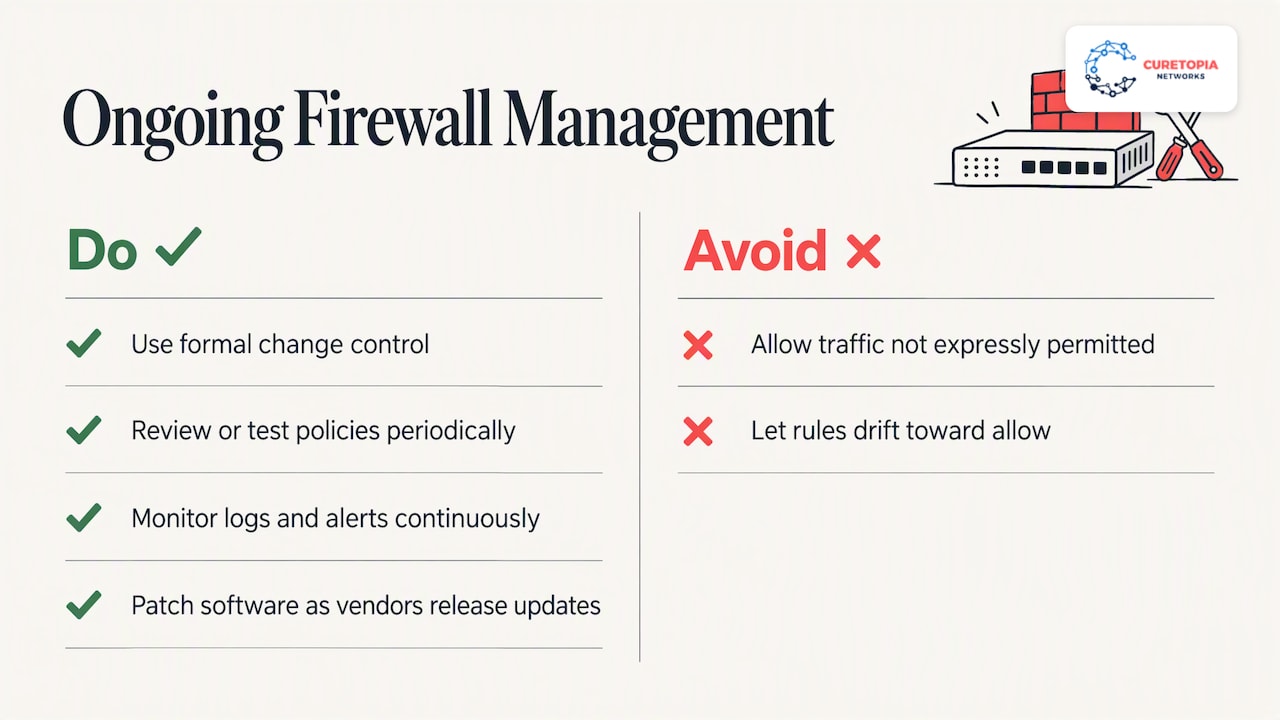
The drift problem
Here is how it usually happens in a small organization:
- A software vendor needs remote access for a week. Someone opens a port.
- The week ends. Nobody closes the port, because nobody wrote down why it was opened.
- An employee leaves who knew the firewall. The login is on a sticky note or in one person’s head.
- The firmware falls two years behind because the update might cause an outage and there is no maintenance window.
- A scan or an incident finds the open port, and the cleanup begins from zero.
None of those steps is dramatic. Together they are the reason managed firewall support exists.
What a good service includes, in writing
When you compare providers, ask for the scope as a document, not a sales conversation. Here is a practical checklist.
| Area |
What to expect |
Question to ask |
| Change management |
Requests logged, reviewed, approved and documented before and after implementation |
Who can request changes, and who approves them? |
| Monitoring |
Logs and alerts watched continuously, with defined severity levels |
Who looks at alerts after hours, and how fast do they respond? |
| Patching |
Firmware updates scheduled, tested and applied in agreed windows |
How do you handle a critical vulnerability between windows? |
| Rule review |
Scheduled review of every rule, with removal of stale ones |
How often, and will I see the results? |
| Configuration backup |
Current backup stored off the device |
How long to restore to a replacement unit? |
| Remote access and VPN |
Policy for who connects and how |
Do you enforce multi-factor authentication for remote users? |
| Reporting |
Regular summary of events, changes and recommendations |
Can I see a sample report? |
| Ownership |
You own the device, the configuration and the documentation |
What do I get if we part ways? |
That last row matters. A provider who holds your configuration hostage is not managing your firewall, they are renting you a dependency.
How rules, alerts and updates are handled day to day
Rules and policies
A good rule base is small, named and justified. Each rule should say what it allows, for whom, why and who asked for it. When a business owner says “our accounting software needs to talk to the vendor’s server,” the technician should translate that into the narrowest possible rule: specific source, specific destination, specific port, and an expiration or review date where it makes sense.
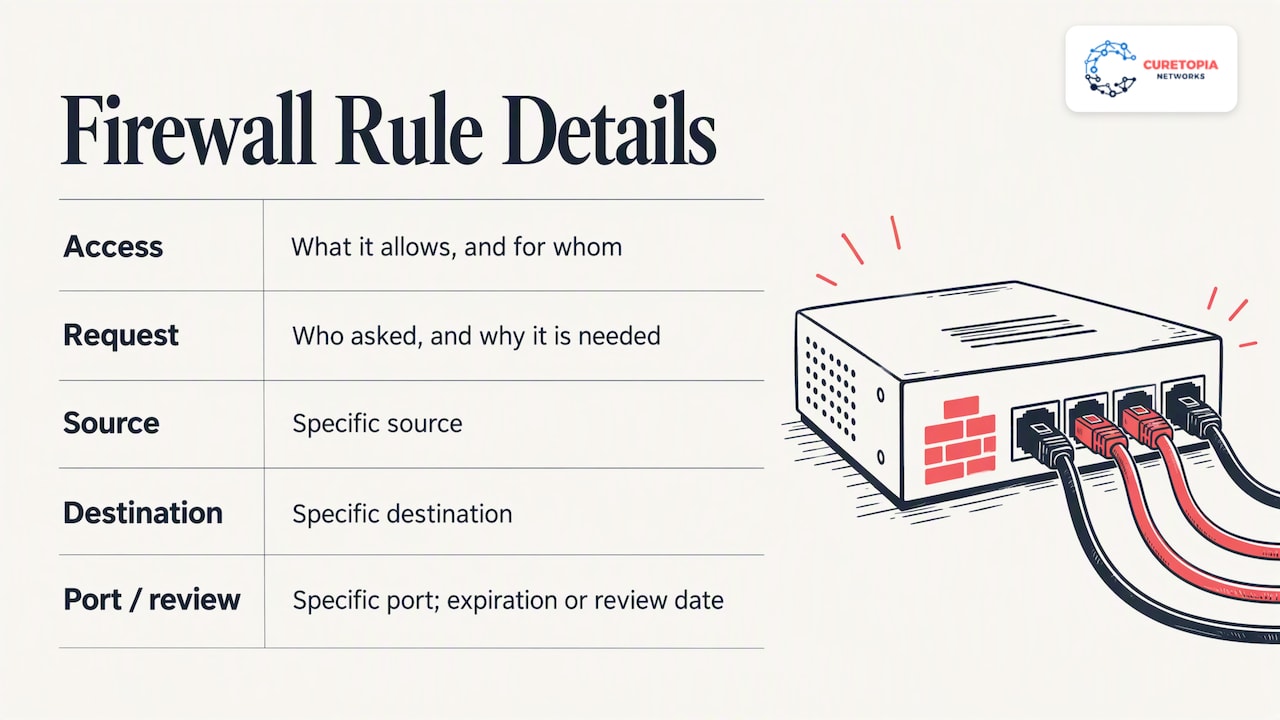
Monitoring and alerts
Logs are only useful if someone reads them. Continuous monitoring means alerts are filtered, ranked and acted on. Blocked scans from the internet are background noise. A workstation suddenly sending large volumes of data to an unfamiliar country is not. A managed service should separate the two and tell you only what needs attention.
Patching and firmware
Firewalls are internet-facing devices, which makes them attractive targets. Delayed updates are a standard way in. Management means patches are tracked against vendor advisories, tested where possible, and applied during agreed maintenance windows so the update itself does not surprise your staff in the middle of a workday.
Periodic review
Twice a year is a reasonable starting point for many small organizations, and more often if your environment changes quickly. The review asks four questions of every rule: is it still needed, is it still scoped correctly, is it documented, and does it match your current risk?
Physical and network security work together
A firewall protects the network, but your risk does not stop at the network edge. The server closet, the wiring and the front door matter too, and a layered approach pairs a well-managed firewall with alarm and access control systems that protect the building itself. If anyone can walk up to your network gear, the best ruleset in the world will not help.
When firewall management makes sense, and when it does not
NIST advises that firewall requirements start with risk analysis: identify what traffic your organization needs and how it must be secured. The FFIEC’s guidance on managed security service providers takes a similar approach to the buying decision. It tells organizations to assess their risks, identify the systems and sensitive data involved, and weigh providers’ experience, staffing, controls and reporting, along with the costs of procuring, operating and managing the service.
Translated into plain business terms, outsourcing firewall management is a strong fit when:
- You have no dedicated network or security engineer, or only one person who is a single point of failure.
- Your firewall has not had a documented rule review in over a year.
- You handle sensitive client data, such as financial, health or personal information, and must show customers or auditors that you control your network.
- You have several offices, remote workers or vendors connecting in, so the rule base keeps changing.
- You have had an incident, a failed audit or a cyber insurance questionnaire that exposed gaps.
It is a weaker fit when you already have a capable in-house team that wants to keep full control. In that case, a co-managed arrangement, where an outside team handles monitoring, patching and after-hours coverage while your staff handle day-to-day decisions, often works better than a full handoff.
What outsourcing does not do
Be honest with yourself about limits.
- You keep the accountability. The FFIEC states that financial institutions cannot outsource accountability and should maintain oversight of their provider relationships. The principle applies well beyond banks. If a rule is wrong, your customers will not care who typed it.
- A firewall is one layer. It does not stop a phishing email that tricks an employee into entering a password, a compromised laptop at a coffee shop, or a misconfigured cloud account. Email security, endpoint protection, multi-factor authentication, backups and staff training all sit alongside it.
- The provider needs your input. They cannot know a new application is going live unless someone tells them. Good providers build that into a simple request process.
- Visibility is your right. If you cannot see reports, change history or the current ruleset, you cannot oversee the work.
How to evaluate a provider
Use the same criteria the FFIEC lists, translated for a business buyer: experience, staffing, control environment, reporting and ability to meet agreed service levels.
- Ask about experience with your firewall brand and your type of business. A team that has managed networks for accounting firms, nonprofits or manufacturers understands the compliance and operational pressures you face.
- Ask who actually touches your firewall. Is it a named team, or a rotating queue?
- Ask for a sample report and a sample change record. You are looking for plain-language summaries, not a wall of log lines.
- Ask what happens in the first 90 days. A serious provider starts with an audit and cleanup of existing rules, not just monitoring of a messy configuration.
- Ask about response and escalation. What counts as critical, how fast do they respond, and how do you reach a person?
- Ask about exit terms. You should be able to leave with your configuration, documentation and credentials.
- Ask how the service fits the rest of your IT. A firewall that is managed in isolation from your Microsoft 365 setup, backups and endpoints leaves seams between teams.
Our perspective
We see the same pattern when a new client calls us. The firewall itself is usually fine. What is missing is ownership. Nobody can say who opened a given port, when the last update ran or what the alert emails actually mean. The business has been paying for hardware and getting very little protection from the way it is run.
That is why we do not treat firewall management as a standalone product. We manage IT as an integrated environment: the firewall, the network behind it, the cloud services in front of it, the backups behind all of it and the people using it. When those pieces are managed by one accountable team, root causes get fixed instead of patched around. A slow VPN, a blocked application and a suspicious login are often connected, and one team can see that.
Our advice to any business leader in Central Indiana is simple. Insist on written scope, insist on seeing reports, and insist that your configuration stays yours. A provider who welcomes those requests is one worth talking to.
— Cameron
How Curetopia approaches firewall and network management
We manage firewalls as part of our network and infrastructure services for organizations in Indianapolis and across Central Indiana. That means the firewall is monitored, kept current and reviewed alongside your switches, wireless, internet circuits and remote access, rather than handled as a separate silo.
The firewall also connects directly to the rest of your security program. Our cybersecurity services cover the layers around it, and our managed IT services give you a single team accountable for day-to-day support. If you already have an internal IT person, co-managed IT lets us take on the monitoring, patching and after-hours coverage while your team keeps the decisions they want to own.
If you are not sure what shape your current firewall is in, a conversation with our team is the quickest way to find out. You can start from our Indianapolis managed IT page.
A simple first step: a firewall health check
You do not need a provider to begin. Gather these answers internally:
- What make, model and firmware version is your firewall, and is it still supported by the vendor?
- Who has administrator access, and are those accounts tied to named individuals with multi-factor authentication?
- How many rules exist, and can anyone explain each one?
- Which ports are open to the internet, and why?
- Where are logs stored, and does anyone read them?
- When was the configuration last backed up, and has a restore ever been tested?
- What outbound traffic is restricted? Many networks only filter inbound traffic.
If you cannot answer more than a couple of these, you have found the reason to bring in help. The answers also give any provider a head start and make their proposal far more specific to you.
FAQ
What is included in managed firewall support?
Typically it covers rule and policy changes under change control, continuous monitoring of logs and alerts, firmware patching, scheduled rule reviews, configuration backups and regular reporting. Some providers also include VPN and remote access management. Ask for the exact list in writing, since scope varies widely between providers.
Is a VPN a firewall?
No. A firewall filters traffic between networks based on rules, while a VPN creates an encrypted tunnel so remote users or offices can connect securely. They often run on the same device and work together, which is why remote access rules are part of firewall management.
Do I still need a firewall if my business runs mostly in the cloud?
Usually yes. Your office network, staff devices and internet connection still need protection, and a firewall controls what moves between them and the internet. Cloud services add their own settings to manage, so it is a matter of covering both sides, not choosing one.
Can I keep my own IT person and still use a managed firewall service?
Yes. Many organizations split the work: the outside team handles monitoring, patching, reporting and after-hours response, while the internal person approves changes and handles daily needs. This co-managed model keeps control with you and removes the single-point-of-failure risk.
How often should firewall rules be reviewed?
NIST says rulesets should be reviewed or tested periodically but does not set one schedule for everyone. Many small organizations review at least twice a year and after any major change, such as a new office, application or vendor connection.
Sources
Recommended
Secure Remote Work: A Practical Guide for Business Leaders
Secure remote work means your people can do their jobs from home, a client site or a hotel without adding cyber risk to the business. In practice it comes down to five things: verified identities, managed devices, protected connections, limited access to data, and a written policy that people actually follow. None of it requires exotic technology. It requires doing the basics consistently and knowing who is accountable when something breaks.
This guide is written for owners and operations leaders at small and midsize organizations. It covers the risks, the controls worth paying for first, what to put in a policy, and the question most leaders eventually ask: can we ever be fully secure?
Curetopianetworks
Make Remote Work More Secure
Curetopia Networks provides managed IT and cybersecurity support to help Central Indiana businesses reduce downtime and strengthen security.
Explore managed IT support
TL;DR
- Remote work moves your security boundary from the office network to each person’s identity and device, so start with multi-factor authentication (MFA), patched devices and phishing training.
- Treat every home network as untrusted. Verify each access request and give each person access only to what the job needs.
- A written policy should say who may work remotely, which devices are allowed, what data stays off personal gear, and how to report something suspicious.
- No setup is 100% secure. The goal is to make attacks hard, limit the damage, and recover quickly.
- If nobody in your company owns this day to day, a managed IT partner can.
Table of Contents
What secure remote work means for a business
The federal government gives a useful baseline. CISA describes a remote user as someone performing sanctioned business functions outside the organization’s premises on a device that is not directly connected to the managed network. That one definition explains the whole problem. Your firewall, your office Wi-Fi and the server closet no longer sit between the employee and the internet.
So the question changes. In the office, you protect a place. Remotely, you protect people, accounts, devices and data wherever they happen to be.
This matters for a practical reason beyond breaches. A compromised laptop or a hijacked Microsoft 365 account means downtime, lost client trust and, for many industries, regulatory exposure. A 25-person accounting firm or a nonprofit with donor records feels that as sharply as a large company does, usually with less spare capacity to absorb it.
The main risks of remote and hybrid work
Security writers consistently point to the same cluster of problems. TechTarget’s overview of remote work risks lists an expanded attack surface, limited oversight that can expose or lose corporate data, phishing and AI-driven attacks, and unsecured home and public networks. Here is how those play out in a typical Central Indiana business.
Phishing and social engineering
When a colleague is down the hall, an odd request gets a quick verbal check. At home, the same request arrives as a message, and the person has to decide alone. CISA, NSA, FBI and MS-ISAC note that hybrid-environment users are more likely to be deceived by social engineering, and they recommend training for exactly that reason.
Home and public networks
Home routers often run old firmware with default passwords. In public places, attackers can imitate a Wi-Fi network. The Canadian Centre for Cyber Security warns that threat actors may use traffic manipulation or wireless hijacking to spoof networks and intercept traffic. The lesson applies in Indianapolis as much as Ottawa: never assume the network under an employee’s laptop is safe.
Shadow IT
People solve problems with whatever tool is handy: a personal file-sharing account, a free PDF converter, a consumer messaging app. The same Canadian guidance points out that shadow IT is not monitored by IT departments, so it is left out of risk assessments. You cannot protect data you do not know has left.
Data exposure in plain sight
Not every leak is a hack. TechTarget notes that remote settings raise the chance of unintentional or malicious exposure, such as data visible on screens or captured in photos. A client spreadsheet open in a coffee shop is a breach waiting to happen.
Feeling disconnected
There is a human factor too. Australia’s Department of Home Affairs observes that staff outside the office may feel disconnected from the organization’s purpose and values and be more willing to share information widely. Culture is a security control, and it weakens at a distance unless you maintain it.
The controls that matter most
You do not need to buy everything. For small and midsize organizations, CISA, NSA, FBI and MS-ISAC recommend prioritizing MFA, phishing awareness training, DNS filtering, anti-virus and file restriction policies that block high-risk file extensions. Use that as your short list, then build outward.
| Area |
What to put in place |
Why it matters |
| Identity |
MFA on every internet-facing business account, single sign-on where possible |
A stolen password alone no longer opens the door |
| Devices |
Company-managed laptops, automatic updates, endpoint protection, disk encryption |
A lost or infected device is contained and recoverable |
| Network |
Secure VPN with MFA or a modern secure-access service, DNS filtering |
Traffic is protected even on hostile Wi-Fi |
| Access |
Least privilege, access to specific applications rather than the whole network |
A compromised account reaches less |
| Data |
Cloud storage with sharing controls, tested backups |
Work survives a lost device or ransomware |
| People |
Short, recurring phishing training and a clear reporting path |
Mistakes get caught early |
Lock down accounts first
The same federal guidance advises strong MFA for internet-facing business accounts, secure VPNs with MFA, antivirus, and applications set to update automatically. If you can only do one thing this quarter, turn on MFA everywhere, starting with email and anything that touches money or client data. Then confirm it is actually enforced rather than optional.
Verify every request, grant minimal access
Microsoft describes Zero Trust as a model that assumes breach, verifies identity on every access request and applies least privilege, whether the user is in the office or remote. NIST’s telework guidance lines up with this: remote access servers should authenticate each teleworker before granting access, then use authorization so only necessary resources are reachable, for example through application-level access control.
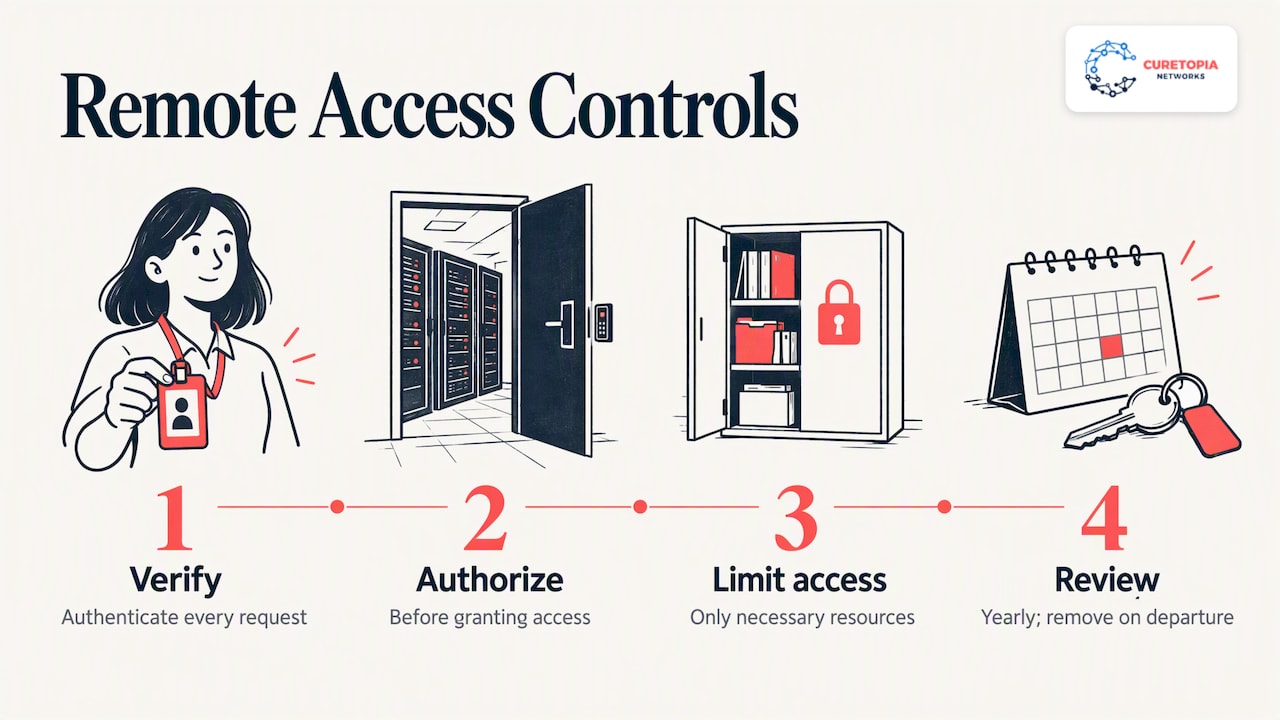
For a business, that translates simply. A bookkeeper does not need the engineering share. A contractor does not need the whole tenant. Review who can reach what at least once a year, and remove access the day someone leaves.
Decide what to do about personal devices
Bring-your-own-device is where many small businesses get into trouble. NIST notes that risks from personal and third-party-controlled devices can be reduced by setting up a separate, dedicated network for BYOD use that grants no more access to enterprise resources than standard remote access. In plain terms: personal devices get a narrower door than company laptops.
Many of our clients solve this with virtual desktops or a private cloud, so work happens in a controlled environment and data never lands on the home computer. See our virtual desktop solutions and private cloud services for how that works.
Keep your cloud suite tight
Most remote teams live in Microsoft 365 or Google Workspace. Default settings are rarely enough: conditional access, external sharing rules, mailbox auditing and device compliance all need deliberate configuration. Our Microsoft 365 and cloud management and Google Workspace management pages describe what ongoing administration looks like.
Assume something will go wrong
Backups are the control that turns a disaster into an inconvenience. Keep copies that an attacker who owns a user’s account cannot delete, and test restores on a schedule. A backup you have never restored is a hope, not a plan.
What a remote work policy should include
A policy is the place where decisions become expectations. CISA’s guidance on mobile workplace security says a policy should identify who may telework, define device requirements and information restrictions for company-furnished and personal devices, address alternate-worksite safety, cover phishing and social engineering training, and specify conditions that warrant discipline. That guidance is written for federal agencies, but the structure translates cleanly to a private employer.
NIST adds a useful mindset: write the policy on the assumption that approved alternate worksites contain hostile threats. That keeps the policy practical rather than trusting.
For a 20 to 200 person organization, a workable policy fits on two or three pages and covers:
- Eligibility: which roles may work remotely, from where, and whether work from outside the U.S. is allowed.
- Devices: what is company-managed, what personal devices may do, and what must never be stored locally.
- Access: MFA required, approved tools only, no shared accounts.
- Data handling: what counts as confidential, how to share it, and screen and printing rules in public or shared spaces.
- Home network basics: updated router firmware, a unique Wi-Fi password, no default admin credentials.
- Incident reporting: who to contact, how fast, and a promise that reporting a mistake is safe.
- Consequences: what happens when the rules are knowingly broken.
If you are in a regulated field, such as accounting, healthcare or financial services, add the specific requirements of your regulator and client contracts. Our CPA firm IT security checklist shows how that looks for one industry.
Teach people to spot and report phishing
Technology filters most bad email, not all of it. CISA’s telework toolkit advises that employees learn to recognize phishing tactics, use caution with links and attachments, know the organization’s procedures for reporting suspicious activity, and report promptly to IT security.
Three habits make the biggest difference:
- Pause on urgency. Requests to change bank details, buy gift cards or “quickly” share a file are the classic pattern.
- Verify by another channel. Call the person on a number you already have, not one in the message.
- Report fast, without blame. Employees who fear punishment hide mistakes, and hidden mistakes are the expensive ones.
Make reporting a one-click action in email or a single shared inbox, and tell people exactly who answers.
Can your employer see what you do on a work computer?
This comes up from both sides. Employees ask it, and owners ask what they are allowed to do. On company-managed devices, employers commonly install management and security software that can inspect activity, and that is why a policy should state plainly what is monitored and why. Workers should read their organization’s acceptable-use and monitoring sections before assuming anything is private.
Privacy-protective design is possible. In a federal telework video-conferencing pilot, for instance, employees could turn off the camera and close its physical shutter, after which it could not be turned on remotely. If you manage devices, decide what you need to see, tell people, and collect no more than that. Monitoring laws vary by state, so have counsel review your wording.
Is 100% secure remote work possible?
No, and any vendor who says otherwise is selling you something. People make mistakes, software has flaws, and attackers adapt. Office-based work is not 100% secure either.
The better question is whether you have made a successful attack unlikely, contained when it happens, and recoverable afterward. That means layered controls rather than a single product, which is the thinking behind assuming breach in the Zero Trust model. CISA and NIST also recommend that all organizations adopt their Cross-Sector Cybersecurity Performance Goals, a minimum set of practices against common and damaging threats. It is a reasonable yardstick for a business with no security team.
Most remote work incidents we see are not exotic. They come from an unmanaged laptop, an MFA exception granted “temporarily” two years ago, a backup nobody tested, or a former employee whose account still works. Each of those is a gap between tools, or between people who each assumed someone else owned the task.
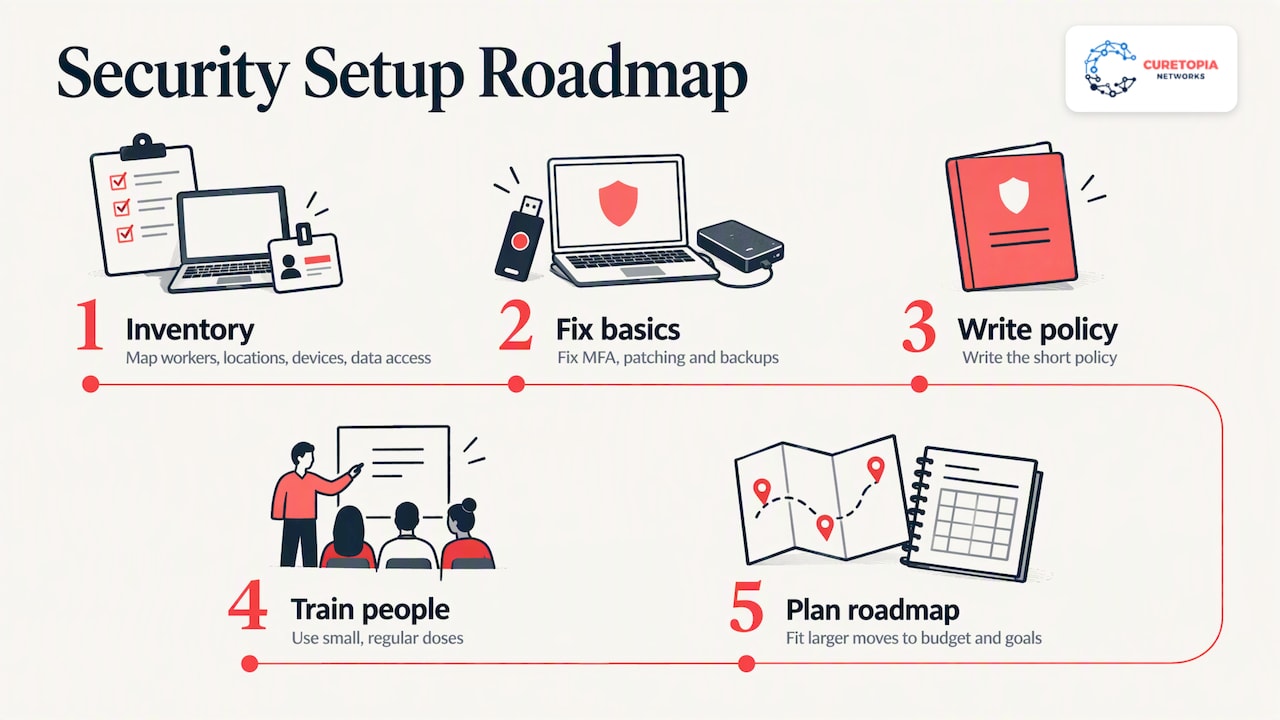
That is why we manage IT as one integrated environment rather than a pile of separate products. Identity, devices, cloud apps, network, backups and strategy are connected, and a weakness in one undermines the rest. When a single team looks after all of it, we can fix root causes instead of patching the same symptom every few months, and you know exactly who is accountable.
Our advice for a business starting out: do not begin with a tool purchase. Begin with an inventory of who works where, on what device, with access to which data. Fix MFA, patching and backups. Write the short policy. Train people in small, regular doses. Then plan the larger moves, such as virtual desktops or a private cloud, on a roadmap that fits your budget and goals. Security that people can live with is the security that lasts.
— Cameron
How Curetopia Networks can help
If your team is remote or hybrid and nobody owns security day to day, that is the situation we are built for. Curetopia Networks provides managed IT services and cybersecurity services for organizations in Indianapolis and Central Indiana, covering devices, Microsoft 365 and Google Workspace, networks, backup and disaster recovery, and a technology roadmap through our vCIO service. If you already have an internal IT person, our co-managed IT option adds capacity and security depth alongside them.
FAQ
Is it possible to be 100% secure when working remotely?
No. No environment, remote or in-office, can be made completely risk-free. The realistic goal is layered protection: MFA, managed and updated devices, limited access, trained staff and tested backups, so an incident is unlikely, contained and recoverable.
What is the first thing a small business should do to secure remote work?
Turn on MFA for every internet-facing business account, beginning with email and any system holding client or financial data. Federal guidance for small and midsize organizations puts MFA at the top of its priority list. Next, make sure devices update automatically and your backups have been restored successfully at least once.
Do employees need a VPN to work from home?
Not always, but they need a protected path to company resources. A secure VPN with MFA is one option, and many cloud-first businesses instead rely on strong identity controls, device compliance checks and application-level access. The right answer depends on where your data lives, so decide it as part of your access design.
Can my employer remotely access my work computer?
On a company-managed device, usually yes, through management and security tools. Check your organization’s acceptable-use and monitoring policy to see what is collected. Employers should state this clearly, and state laws differ, so have an attorney review monitoring language.
Is remote work going away?
We cannot predict workplace trends, but most of our clients operate some mix of office and remote work and expect to keep it. Whatever the schedule, plan security so it does not depend on where people sit.
Sources
Recommended
Created with BabyLoveGrowth tools